
Add a FAQ button to a ticket panel
Let members search your answers before they open a ticket.
A FAQ button sits next to the ticket button. Members press it to browse your answers, which often saves them opening a ticket at all. You need a FAQ panel first: see Create a FAQ panel.
Open the ticket panel
Open your dashboard and pick your server. In the sidebar, under Tickets, click Ticket Panels, then click the panel.

Go to the Embed tab
Click the Embed tab under the page title, then scroll down to FAQ Configuration.
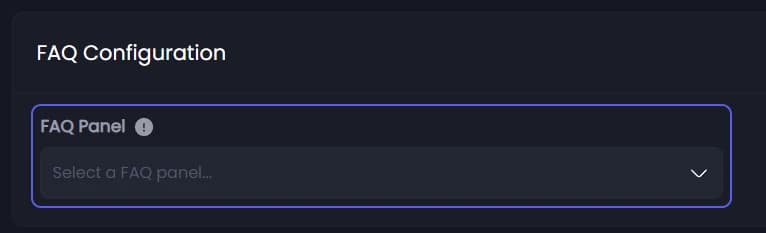
Set the button look
The button settings appear under it once a FAQ panel is picked. It starts as a grey FAQ button with ❔. Change Emoji and Label as you like. Color 👑 changes the button colour. Sync Embed Color 👑 makes the answers use this panel's colour.
Save
Press Save Changes in the bar at the bottom of the page.
Post it
The button is part of the panel message, so the panel has to be posted again.

- Open Channel to post panel in... and pick the panel's channel.
- Press Send the Panel.
Delete the old message
In Discord, delete the old panel message. It has no FAQ button, and members would keep using it.
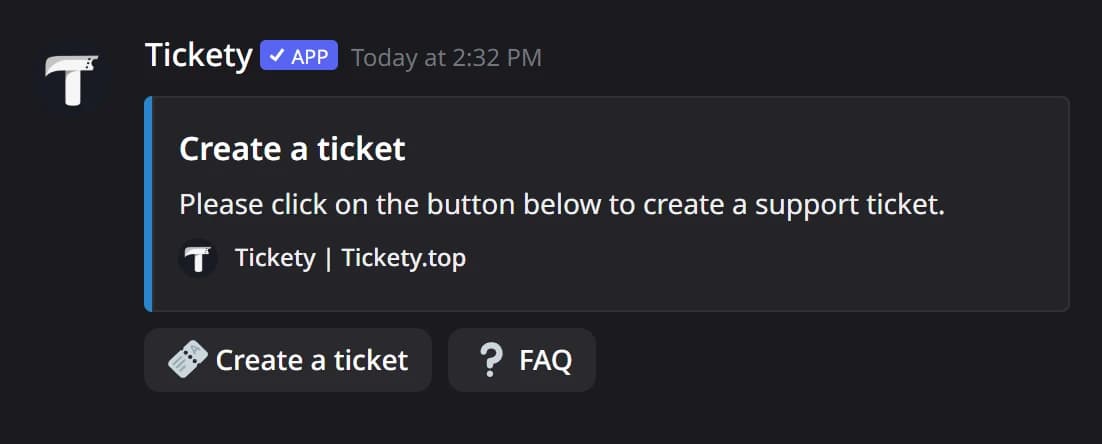
In Discord, the FAQ button sits at the end of the panel's buttons:
It did not work?
Features marked with a crown (👑) need a Premium Subscription.