
Limit how many tickets can be open
Cap tickets per member and per server, add a cooldown, and let staff skip the per member limits.
Limits live in two places. The server wide ones on General Settings count tickets from every panel together. The ones on a panel only count that panel. When both are set, a member has to be under both. A limit of 0 means no limit.
These work as soon as you save. The panel does not need posting again.
Open General Settings
Open your dashboard and pick your server. In the sidebar, under Tickets, click Configuration, then click General Settings.
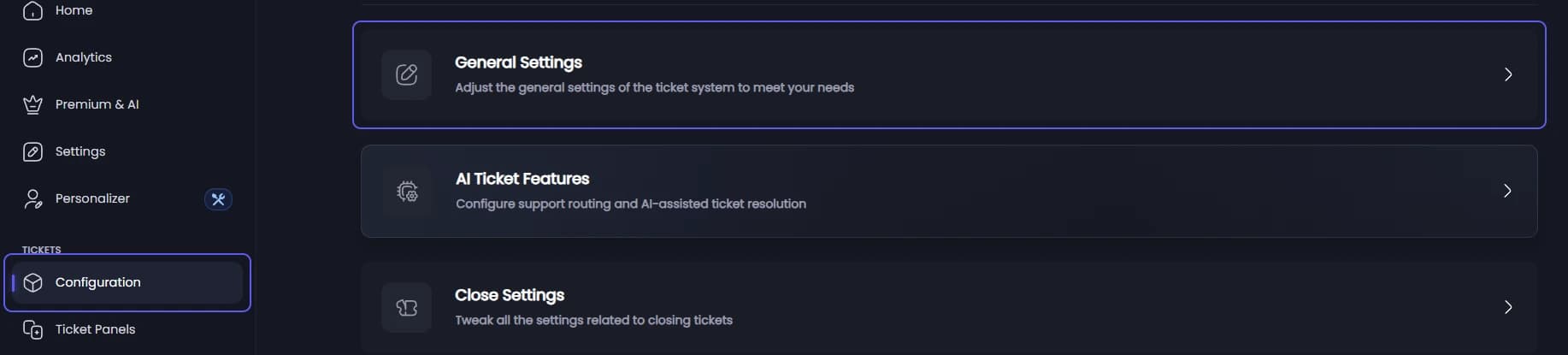
Set the server wide limits
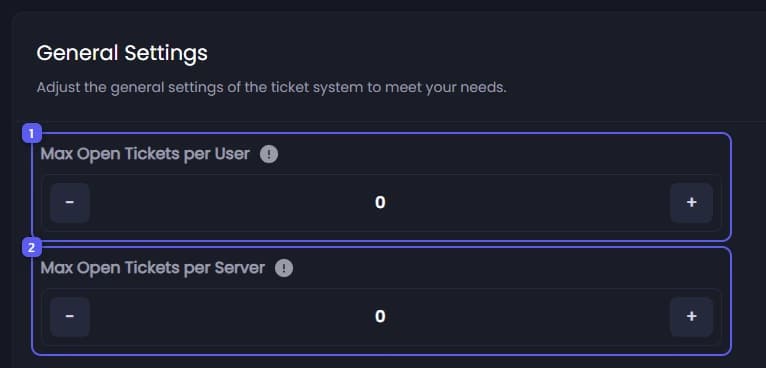
- Under General Settings, set Max Open Tickets per User: how many open tickets one member may have across all panels. It starts at 0, no limit. The most you can save is 100.
- Set Max Open Tickets per Server: how many tickets may be open in the server at once, from all members together. Up to 1000.
Save
Press Save Changes in the bar at the bottom of the page.

Set this panel's limits
On the General tab, scroll to Ticket Settings.
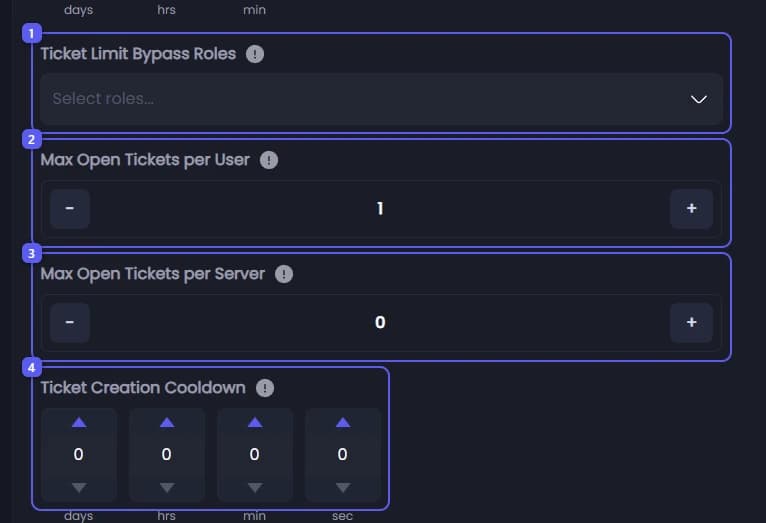
- In Ticket Limit Bypass Roles, pick roles that may open more tickets than a member normally can. They skip both Max Open Tickets per User limits. They do not skip either Max Open Tickets per Server limit, or the cooldown.
- Set Max Open Tickets per User: how many open tickets one member may have on this panel. It starts at 1. The most you can save is 100.
- Set Max Open Tickets per Server: how many of this panel's tickets may be open at once, from everyone. Up to 500, or 1000 when the panel uses Threading Mode.
- Under Ticket Creation Cooldown, set how long a member must wait between opening two tickets on this panel.
Save
Press Save Changes in the bar at the bottom of the page.
Cooldown Time on General Settings is a different thing: it is a short wait between ticket actions like closing, claiming or renaming, not between opening tickets.
To limit how many tickets one staff member can have claimed at once, see Limit how many tickets one staff member can claim.