
Ask members to rate their ticket
Collect a star rating after a ticket closes and log it somewhere you can read it.
When a ticket closes, Tickety can ask the member to rate it from 1 to 5 stars and leave feedback. The ask is part of their close message in DMs, so it needs DM User on Close switched on. These settings apply to every panel.
Open Close Settings
Open your dashboard and pick your server. In the sidebar, under Tickets, click Configuration, then click Close Settings.

Set up ratings
Scroll to Rating System.
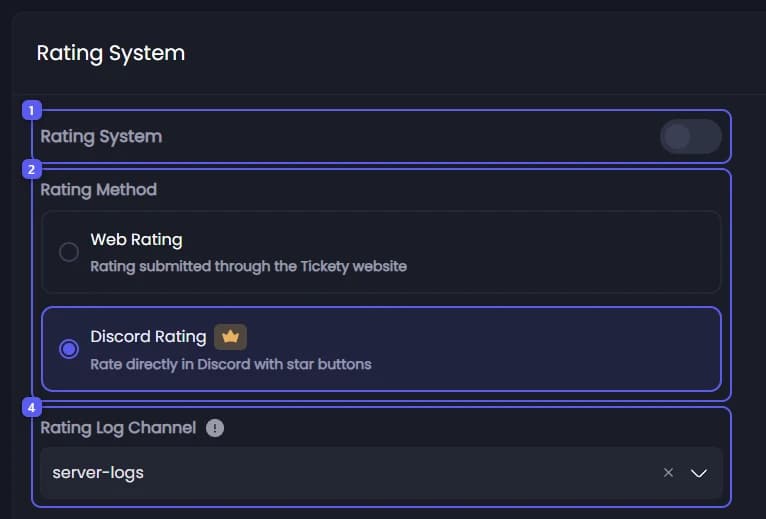
- Make sure the Rating System switch is on. It is on to start with.
- Under Rating Method, pick one:
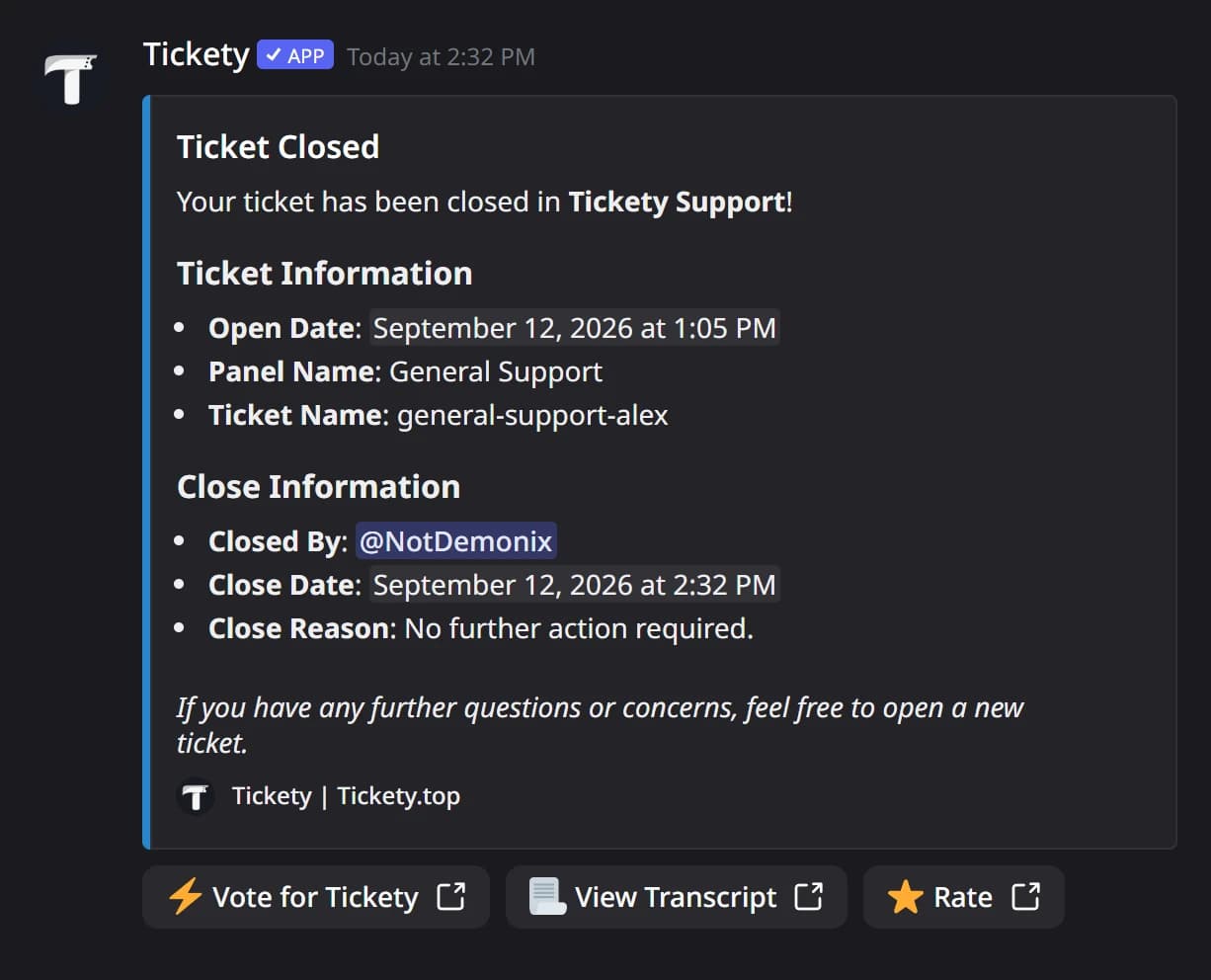
- Web Rating: a Rate button opens a page on tickety.top. This is the default.
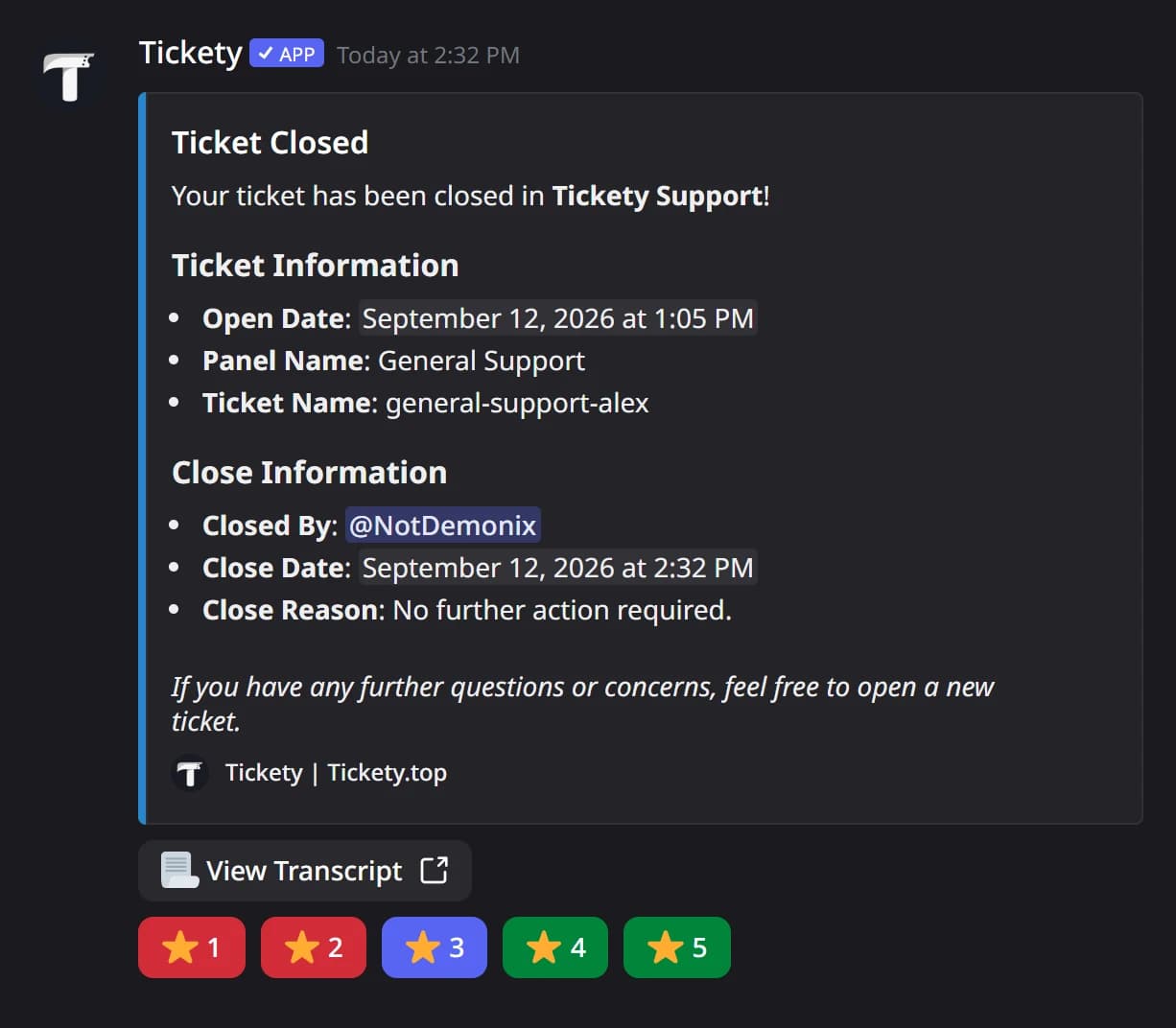
- Discord Rating 👑: five star buttons right in the DM.
- None: the close message does not ask.
- Turn on Rate on Close Request 👑 to ask the member for a rating when they accept a close request, before the ticket closes.
- Open Rating Log Channel. Every rating is posted there. Default uses the Logging Channel from Settings. Below it, Rating Embed is the log message itself. Edit it if you like.
In the DM, Web Rating adds the Rate button, and Discord Rating adds a row of star buttons:
Save
Press Save Changes in the bar at the bottom of the page. Tickets closed from now on ask for a rating.
Feedback is never required. On the web page it holds up to 1024 characters, in Discord up to 2000.
It did not work?
Features marked with a crown (👑) need a Premium Subscription.