
Change what happens when a ticket closes
Require a reason, ask for confirmation, and DM the member the close message.
Most close settings are on one page and apply to every panel. Only who may close a ticket is set per panel. Everything here works as soon as you save, on open tickets too.
Open Close Settings
Open your dashboard and pick your server. In the sidebar, under Tickets, click Configuration, then click Close Settings.

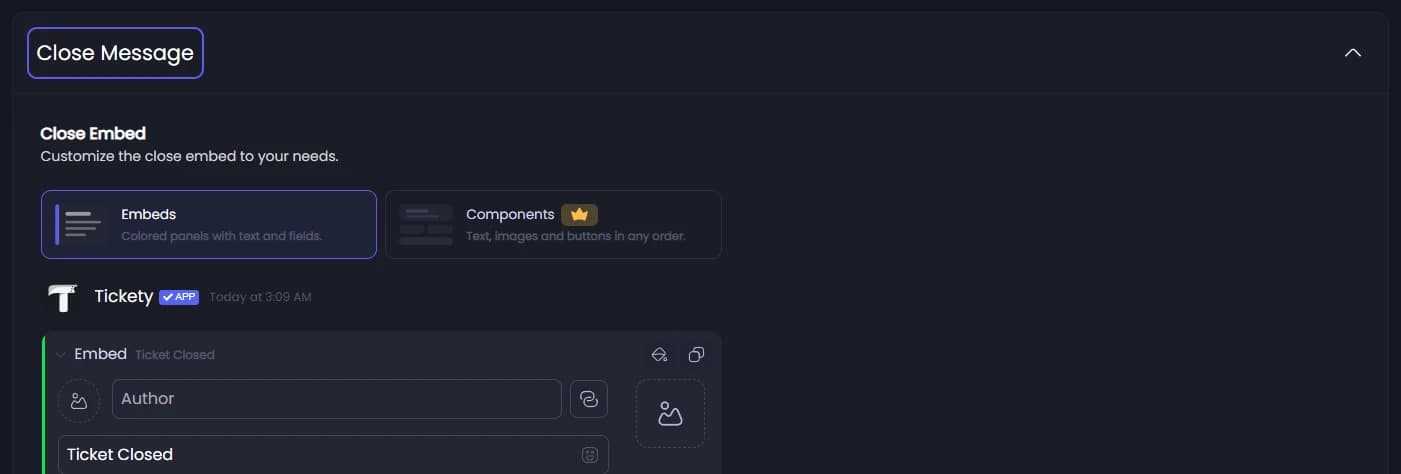
Edit the close message
Under Close Message, Close Embed is the message the member who opened the ticket gets in their DMs when it closes. A DM is a private message from Tickety to them. It is not posted in a channel: the ticket channel is removed when the ticket closes.
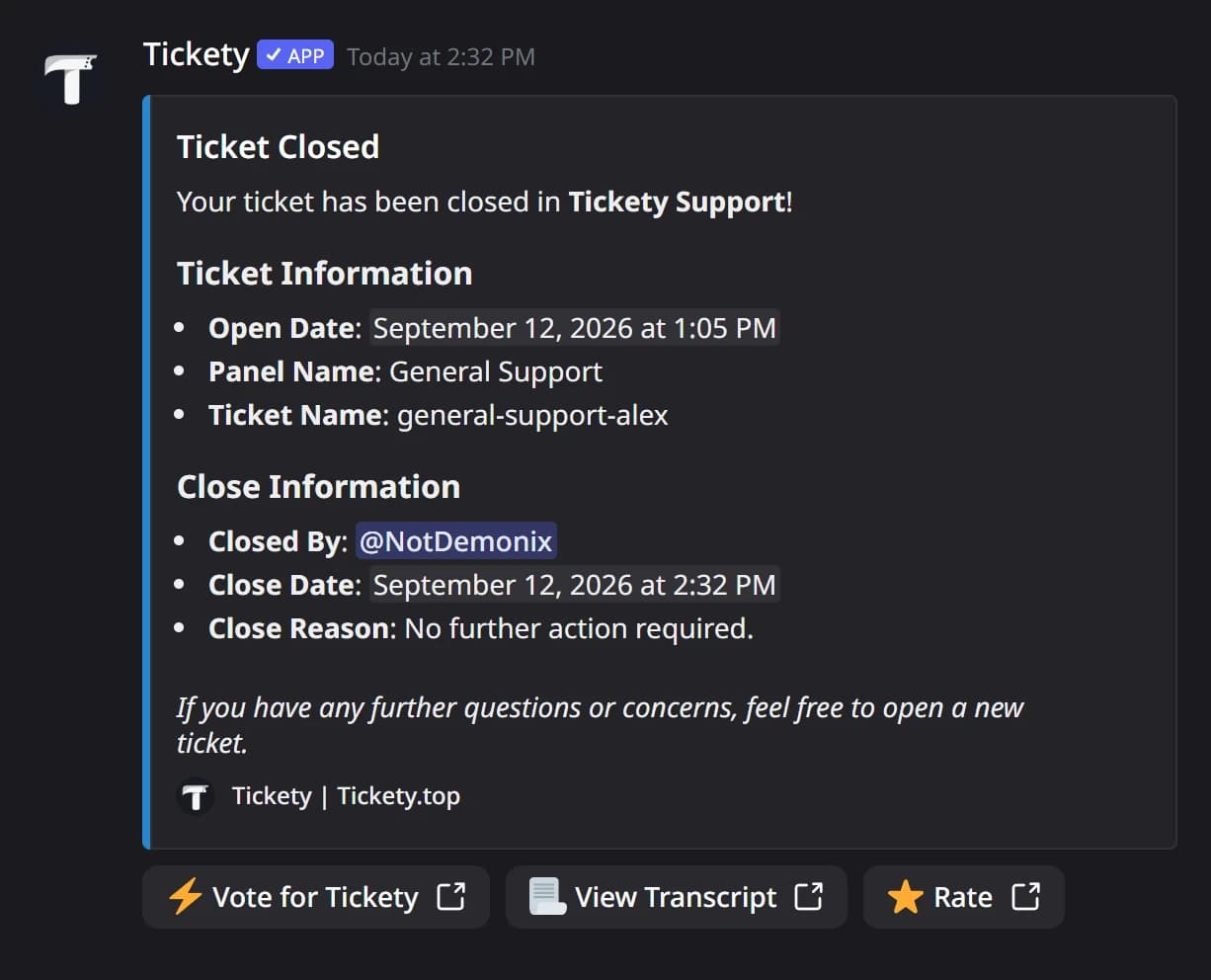
It starts with the title "Ticket Closed" and lists when the ticket opened, its panel, who closed it and why. Click any part to change it.
In the member's DMs, the default message looks like this:
Decide whether to send it
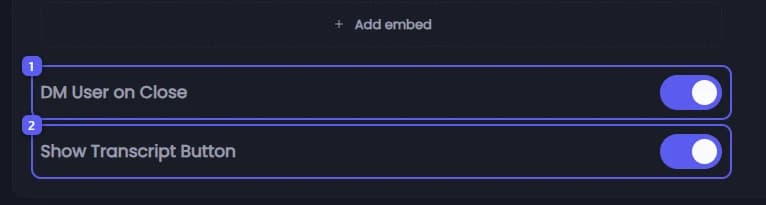
- DM User on Close is on to start with. Turn it off and nobody receives the close message.
- Show Transcript Button adds a View Transcript button to that DM, linking to a saved copy of the conversation. It is on to start with, and only shows when the panel saves transcripts.
Set how closing works
Scroll to Close Settings.
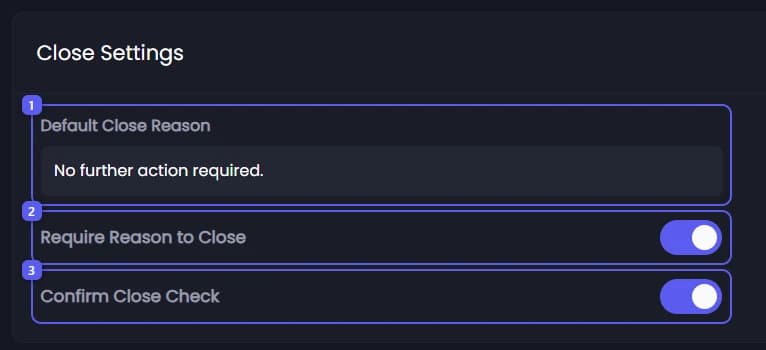
- Default Close Reason is the reason recorded when nobody types one. It starts as "No further action required." Up to 100 characters.
- Turn on Require Reason to Close to make the Close button ask why before it closes. The reason holds up to 200 characters and goes into the close message and the log. It is off to start with.
- Confirm Close Check makes the Close button ask "Are you sure that you want to close this ticket?" first, so nobody closes a ticket by accident. It is on to start with.
The last two only apply to the Close button. Closing with the /ticket close command skips them.
Save
Press Save Changes in the bar at the bottom of the page.

Decide who can close
On the General tab, scroll to Ticket Settings. Users Can Close Tickets is off to start with, so only staff can close. Turn it on to let the member who opened the ticket, and anyone added to it, close it too.

Save
Press Save Changes in the bar at the bottom of the page.
The Rating System on the same Close Settings page has its own guide: Ask members to rate their ticket.