
Members get an error when they open a ticket
Check the settings Tickety needs before it can open a ticket, then match the message members see to its fix.
When a member presses a panel and Tickety cannot open the ticket, it replies with a message only that member can see. The title of that message says what is wrong.
Most errors come from the four settings in the steps below. If the message title is something else, find it in the table at the end.
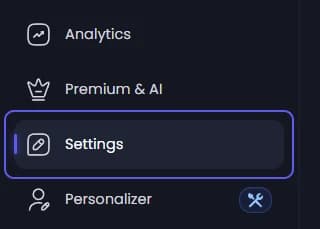
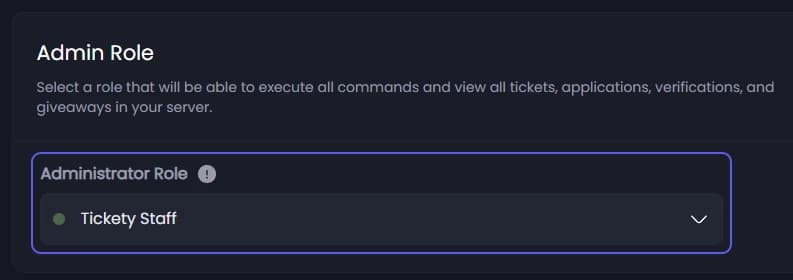
Check the admin role
Look at Administrator Role under Admin Role. If it is empty, pick a role. No panel can open a ticket without it.
Save
If you picked a role, press Save Changes in the bar at the bottom of the page.
Open the panel that fails
In the sidebar, under Tickets, click Ticket Panels. Click the panel members are pressing.

Check the support roles and category
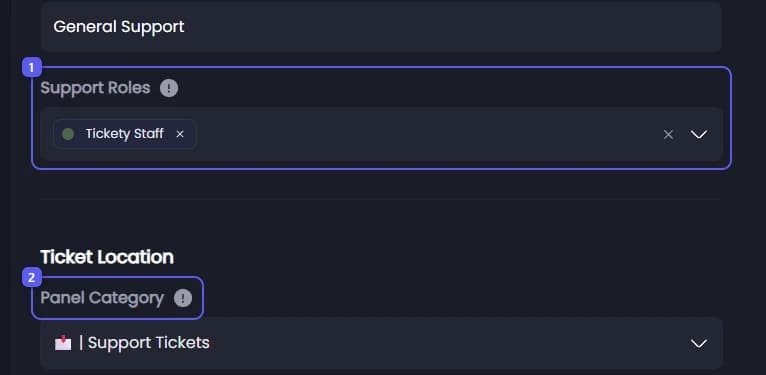
On the General tab, look under Panel Settings.
-
Look at Support Roles. At least one role has to be picked.
-
Look at Panel Category. If it says Unknown Category, the category was deleted. Pick another one. A category is a folder in your Discord channel list.
A missing or full category does not stop tickets: Tickety makes a new category called Tickets, or opens the ticket outside any category. It still belongs here so tickets land where your staff look.
Check who may open tickets
Under Ticket Settings, look at Roles Required to Create Tickets. If roles are listed, only members with one of them can open a ticket here. Clear it if you did not mean to limit this panel.

Check the open ticket limit
Scroll down to Max Open Tickets per User. A member who already has this many tickets open on this panel is refused. It starts at 1. Set it to 0 for no limit.

Save
If you changed anything, press Save Changes in the bar at the bottom. These settings work as soon as they are saved. The panel does not need posting again.
Match the message to the fix
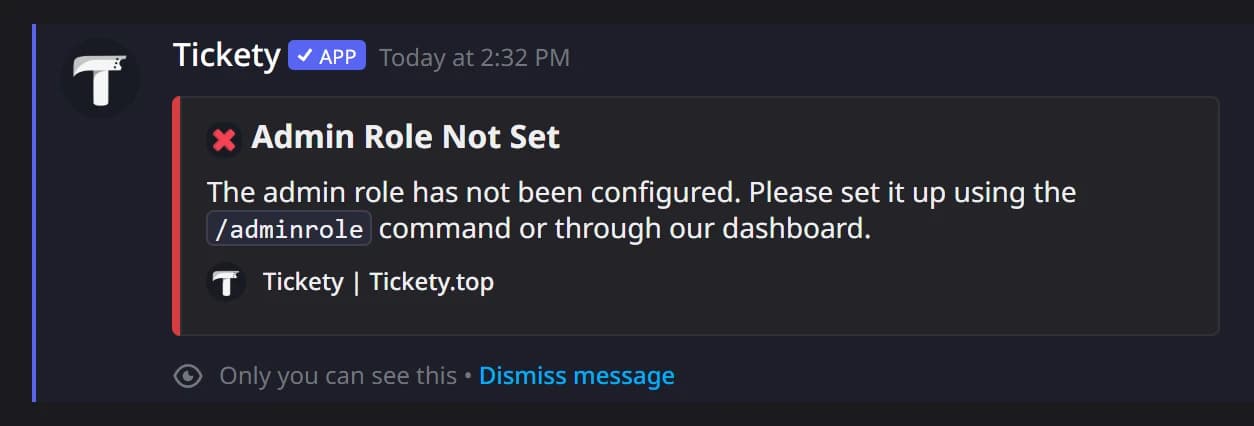
The member sees the error as a reply only they can see, like this one:
| Title the member sees | What to do |
|---|---|
| Admin Role Not Set | Pick an Administrator Role in Settings (step 2). |
| Panel Support Roles Not Set | Add a role to Support Roles on the panel (step 5). |
| Panel Disabled | On the panel's General tab, turn on Panel Enabled. |
| Required Roles | The member lacks a role in Roles Required to Create Tickets (step 6). |
| Blocked Role | The member has a role in Roles Blocked from Creating Tickets, just below. |
| Account Too New or Too New Here | The member is under Minimum Account Age or Minimum Time in Server on the panel. |
| Ticket Limit Reached | Ending in "for this panel": Max Open Tickets per User on the panel (step 7). Ending in "for this server": Max Open Tickets per User under Tickets, Configuration, General Settings. |
| Server Ticket Limit Reached | Max Open Tickets per Server, on the panel or under General Settings. Close some tickets or raise the limit. |
| Ticket Cooldown | The member opened a ticket on this panel too recently. See Ticket Creation Cooldown on the panel. |
| Cooldown | The member pressed the button too many times in a row. They only need to wait a few seconds. |
| Blacklisted | The member is on your blacklist. See Stop one member from opening tickets. |
| Missing Permissions | The message names the permission and the channel. Tickety needs View Channel, Send Messages, Read Message History, Embed Links, Attach Files, Add Reactions, Mention Everyone, Manage Channels, Manage Threads, Send Messages in Threads, Create Public Threads and Create Private Threads in the ticket category. "You are missing" means the member, in thread mode, cannot see the panel's channel. |
| Channel Limit Reached | Your server has 500 channels, Discord's maximum. Delete old channels. |
| Thread Limit Reached | Your server has 1000 active threads, Discord's maximum. Close or delete old threads. |
| Ticket Panel Missing | The panel behind this message was deleted. Delete the old message in Discord. |
| Channel Name Empty | The custom channel name format came out empty. See Change how ticket channels are named. |
| Ticket Channel Deleted | Another bot, usually an anti nuke bot, deleted the new channel. Check your server's audit log and allow Tickety in that bot. |
| Support Currently Unavailable | The panel is outside its support hours and set to refuse tickets. See Only accept tickets during set hours. |