
Change the close, claim and request close buttons
Turn the buttons inside a ticket on or off and rename them.
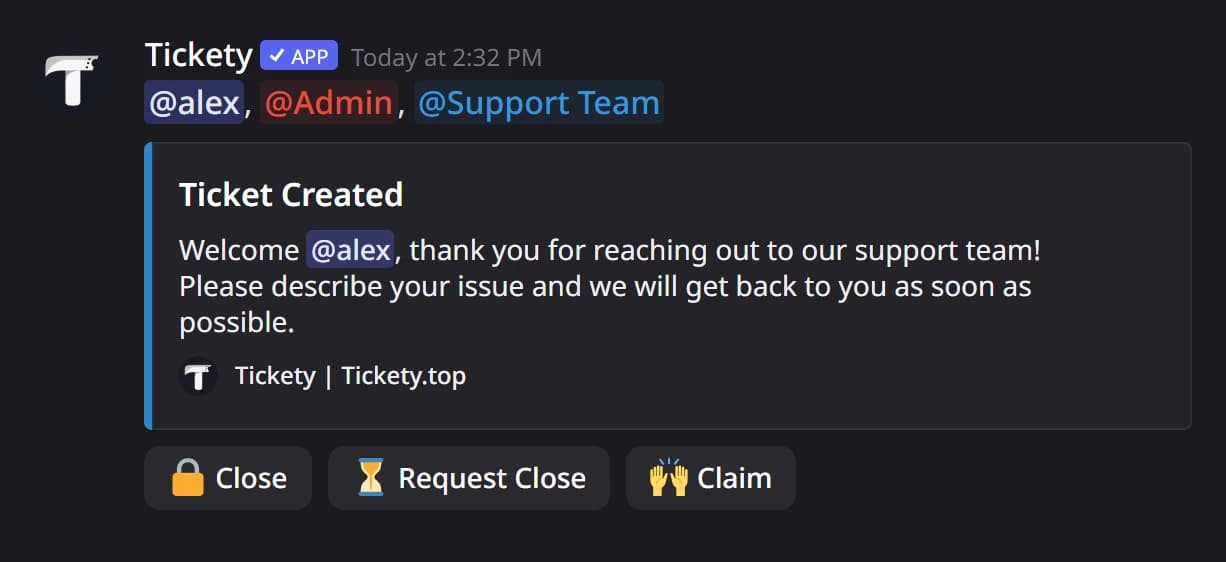
Every ticket's welcome message carries up to three buttons: Close, Request Close and Claim, in that order. Each panel sets its own. Changes apply to tickets opened after you save, so you do not need to post the panel again.
Open the panel
Open your dashboard and pick your server. In the sidebar, under Tickets, click Ticket Panels, then click the panel.

Go to the Messages tab
Click the Messages tab under the page title. The buttons are below the welcome message.
Set the buttons
-
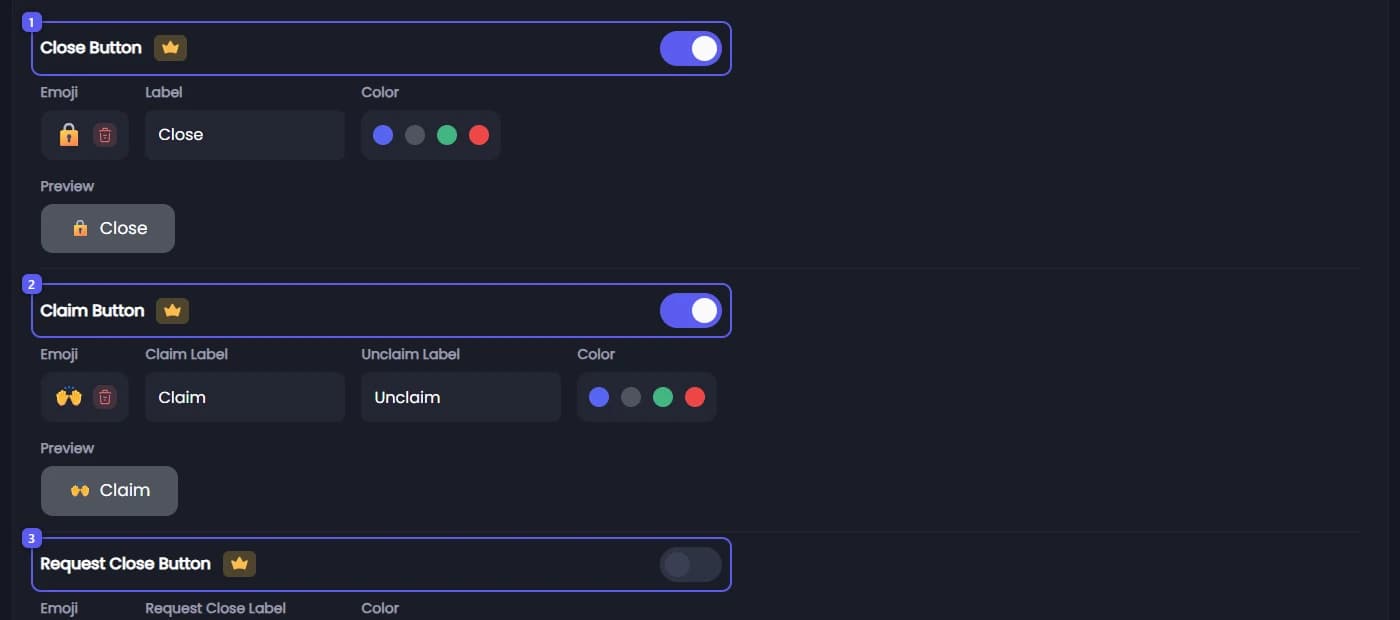
The switch on the Close Button row turns it on or off. It is on to start with: a grey Close button with 🔒.
-
The switch on the Claim Button row turns it on or off. Claiming lets one staff member take a ticket as theirs. The button is only added while Claiming System is on, on the panel's General tab.
It has two texts: Claim Label for taking the ticket and Unclaim Label for handing it back.
-
The switch on the Request Close Button 👑 row turns it on. It is off to start with. Staff press it to ask the member who opened the ticket to confirm it can be closed.
Staff can do the same without the button on any plan, with the
/ticket requestclosecommand.
Save
Press Save Changes in the bar at the bottom of the page.
In Discord, the buttons sit under the first message in the ticket.
It did not work?
Features marked with a crown (👑) need a Premium Subscription.