
Change who gets pinged when a ticket opens
Pick which roles and people are mentioned by the welcome message.
When a ticket opens, its welcome message pings people so they know there is something to answer. A ping is a mention that sends a notification. Each panel decides its own pings.
Open the panel
Open your dashboard and pick your server. In the sidebar, under Tickets, click Ticket Panels, then click the panel.

Pick who gets pinged
Click the Messages tab under the page title.
-
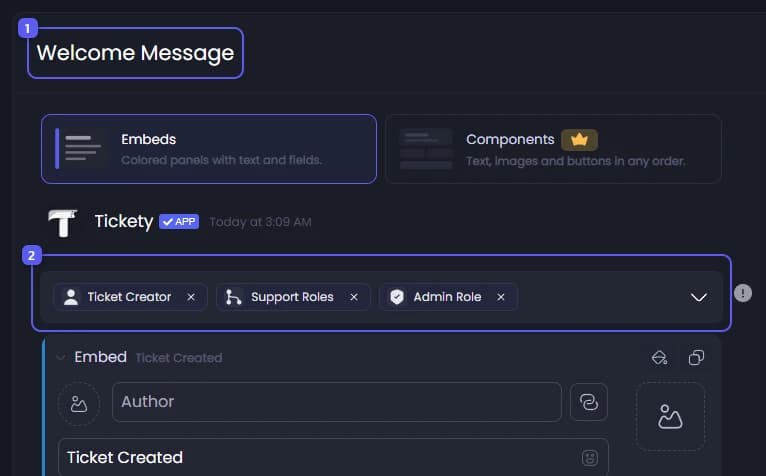
Look under Welcome Message.
-
The picker just above the message holds the pings. Three are on to start with:
- Ticket Creator: the member who opened the ticket.
- Support Roles: every support role of this panel.
- Admin Role: the admin role from Settings.
Remove the ones you do not want. You can also add @everyone, @here or any role in your server. Remove all of them to open tickets without a ping.
If the panel uses Threading Mode, only the three built in options are offered. The ones you remove are still added to the thread, just without a notification.
Save
Press Save Changes in the bar at the bottom of the page. Tickets opened from now on use the new pings.
In Discord, the pings are the line above the first message in the ticket.
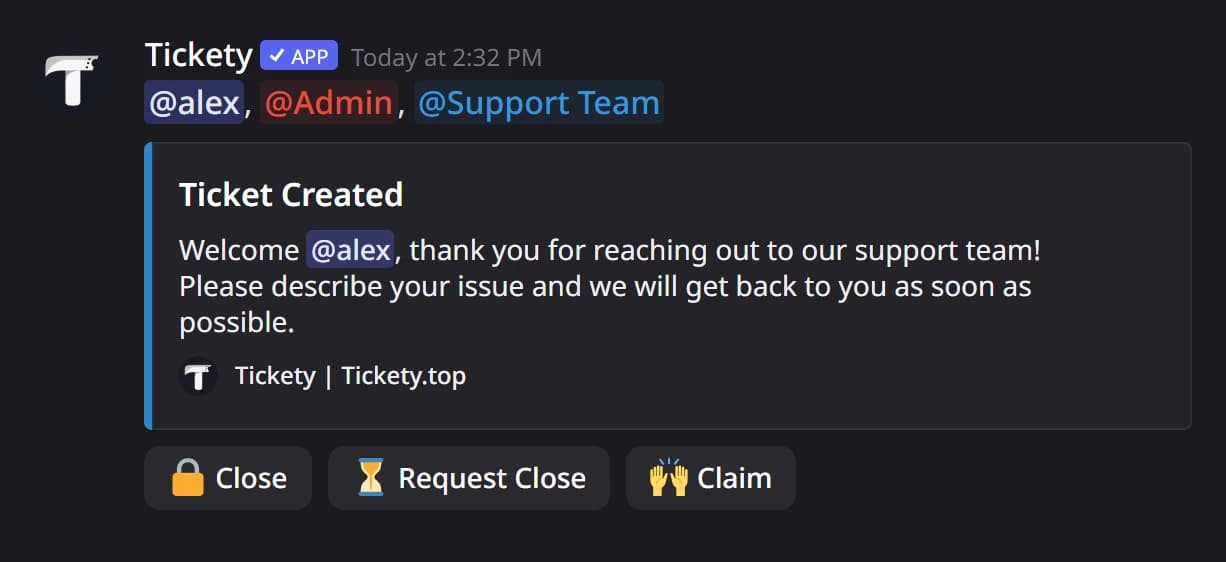
To show someone's name in the text without pinging them separately, put a placeholder in the message itself. {ticket.creator.mention} is already in the default message. See Change the first message inside a ticket.