
Let AI answer and route tickets
Offer a FAQ answer before a ticket opens, and set priority automatically.
Three AI helpers run when a member sends the panel's form, before the ticket is created. They read what the member wrote, so the panel needs its form on with at least one text question. See Ask questions before a ticket opens.
Each one spends AI credits when it runs, at least 5 per ticket. Credits you bought are spent first. The AI addon adds a monthly allowance. See your balance under Premium & AI in the sidebar. With no credits left, tickets open as normal.
Open the panel
Open your dashboard and pick your server. In the sidebar, under Tickets, click Ticket Panels, then click the panel.

Go to the AI tab
Click the AI tab under the page title. If a red banner says the form needs a text question, press the button on it: Set Up Default Issue Form turns the form on with the question "What issue do you need help with?".
Turn on FAQ answers
Go to FAQ Deflection.
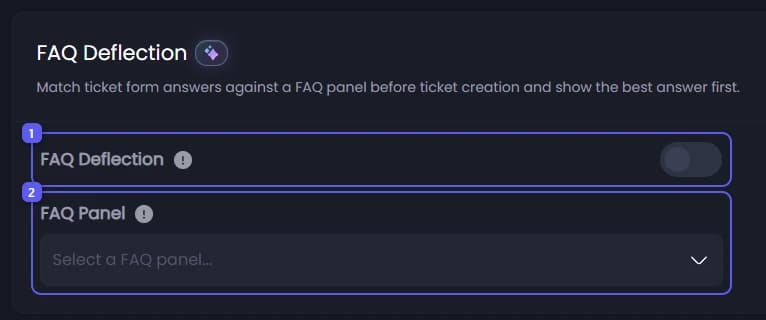
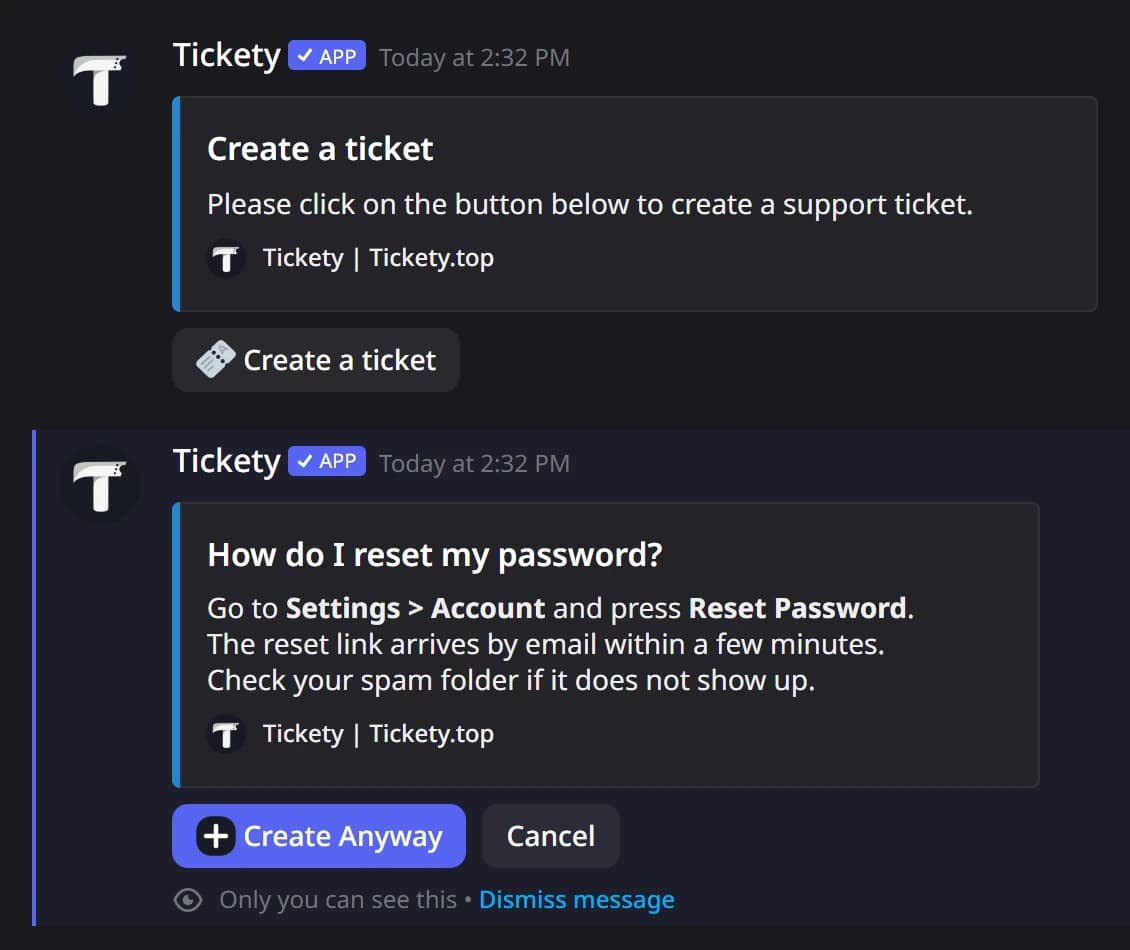
- Turn on FAQ Deflection. Tickety compares the member's answers with a FAQ panel and shows the best answer before the ticket opens. The member can still press Create Anyway. It only runs when a member sends the panel's form, because the answer is matched from what they filled in. A panel with its form off never shows it.
- Open FAQ Panel and pick the FAQ panel to answer from. It is required: the panel cannot be saved without one.
The member sees the answer as a reply only they can see:
Set priority automatically
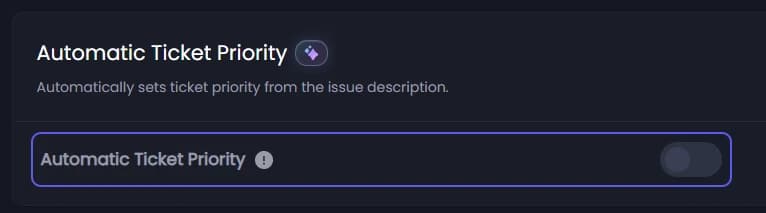
Under Automatic Ticket Priority, turn it on. Tickety reads the member's answers and sets the ticket's priority to high, medium or low. Staff can still change it.
Turn on better panel suggestions
Go to Wrong Panel Suggestion.
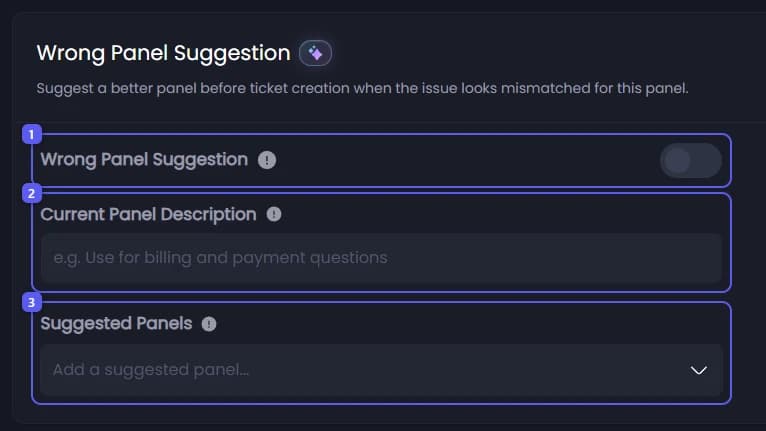
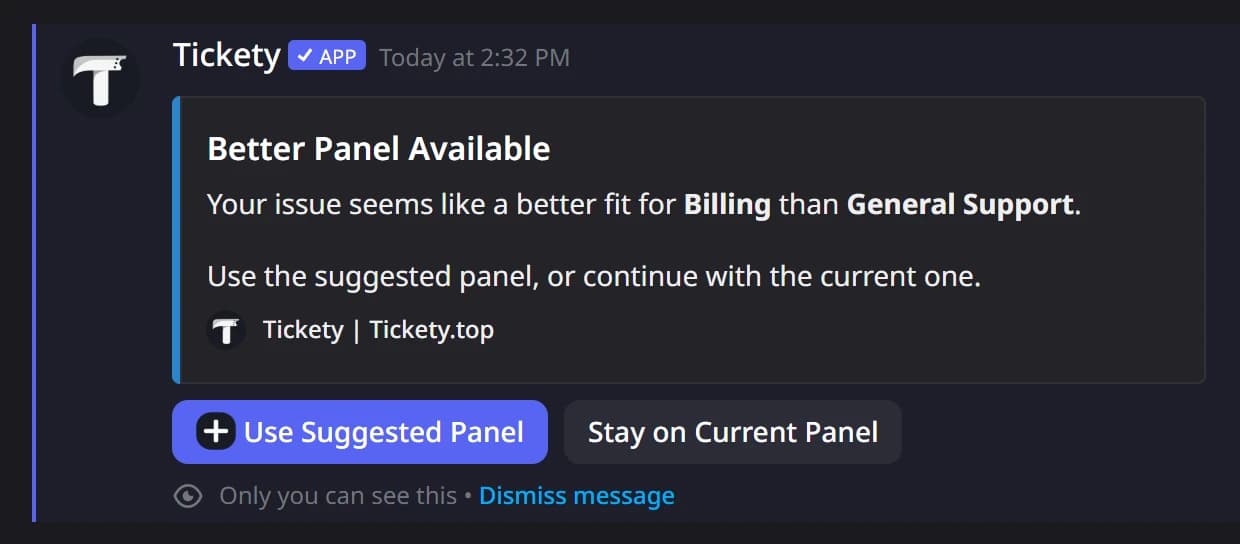
- Turn on Wrong Panel Suggestion. When a member's issue fits another panel better, they are asked whether to use it before the ticket opens.
- In Current Panel Description, write one short line on what this panel is for, like "Billing and payment questions". Up to 100 characters.
- Under Suggested Panels, add each panel members may be sent to, and describe what it is for. You need at least one.
The member is asked like this:
Save
Press Save Changes in the bar at the bottom of the page. The next form sent on this panel uses the helpers.