
Move support questions out of chat channels
Redirect members who ask for help in the wrong channel, and catch duplicate questions.
Tickety can read your chat channels, spot messages that are really support questions, and point those members to your support channel. It can also notice when a member asks the same question twice.
These need 👑 premium with the AI addon. They do not spend AI credits.
Open AI Ticket Features
Open your dashboard and pick your server. In the sidebar, under Tickets, click Configuration, then click AI Ticket Features.

Turn on redirects
Go to Wrong Channel Detection.
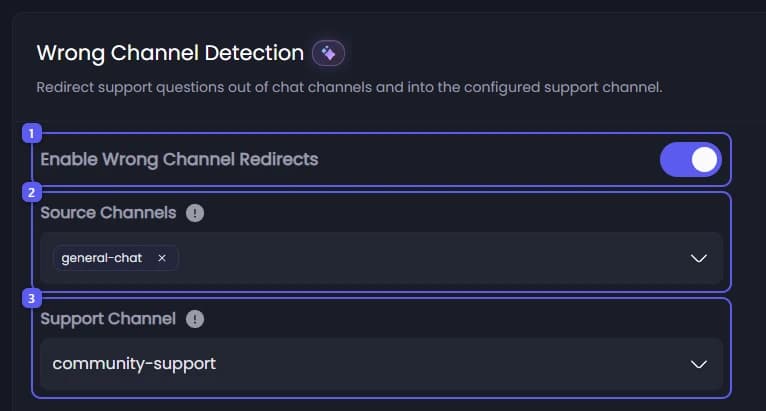
- Turn on Enable Wrong Channel Redirects.
- Open Source Channels and pick your chat channels. Not your support channels.
- Open Support Channel and pick the channel members should ask in instead. Without one, nothing happens.
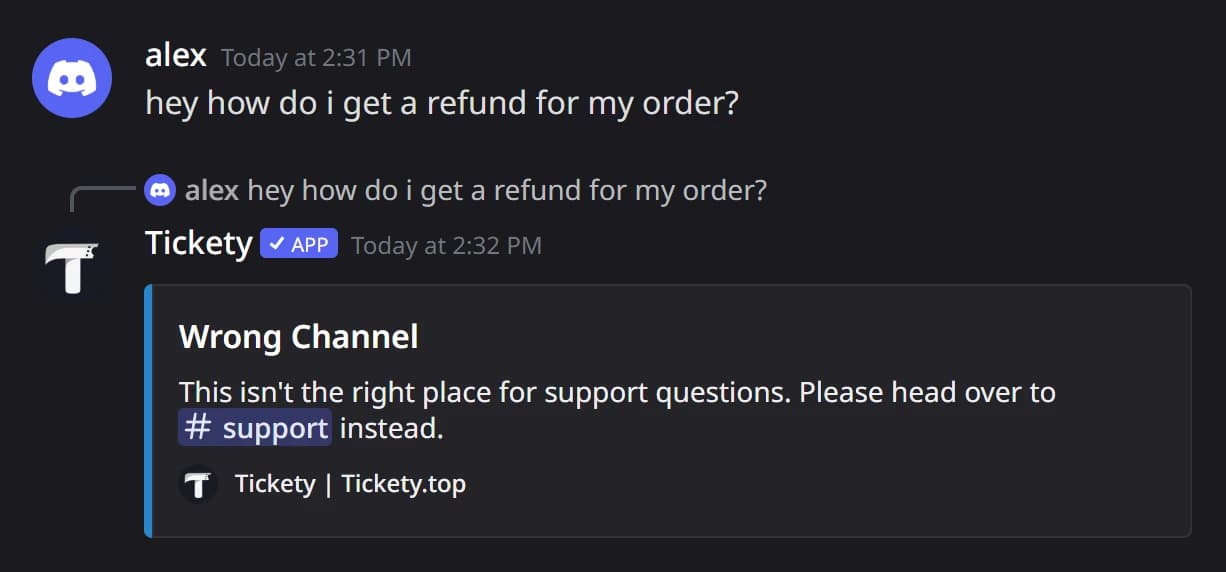
When someone asks for help in a watched channel, Tickety replies like this:
Fine tune the redirects
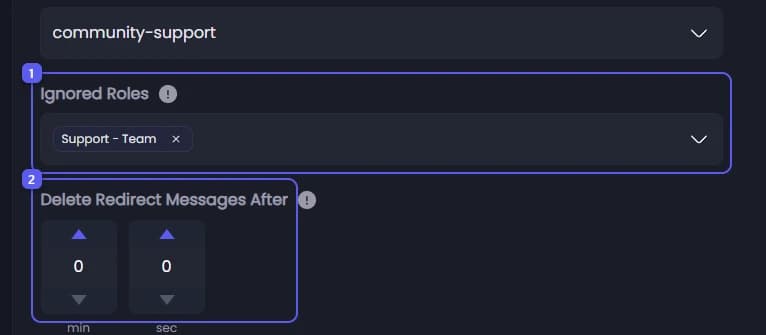
- Open Ignored Roles and pick your staff roles, so their messages are never redirected.
- Delete Redirect Messages After removes Tickety's reply after up to 300 seconds. Leave it at 0 to keep it.
Catch repeated questions
Go to Duplicate Question Detection.
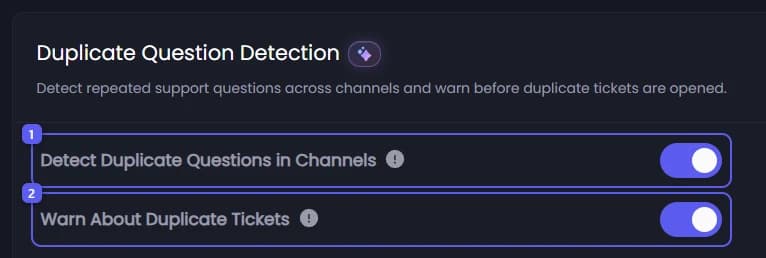
- Turn on Detect Duplicate Questions in Channels. When a member asks the same question in another channel, Tickety links them back to the first one.
- Turn on Warn About Duplicate Tickets. Before a ticket opens, Tickety compares the form answers with that member's earlier questions and warns them if it is the same one.
Save
Press Save Changes in the bar at the bottom of the page. Nothing needs posting.
Tickety only compares a member's question with that same member's earlier questions. It skips bot messages and messages inside tickets, and waits 20 seconds before reacting to the same member in the same channel again.
It did not work?
Features marked with a crown (👑) need a Premium Subscription.