
Alert staff about tickets waiting for a reply
Ping a role when a ticket has been sitting without a staff answer for too long.
Inactivity notifications watch for tickets where a member is waiting on your staff. When nobody on staff has answered for a while, Tickety posts a notice in a staff channel and pings the roles you pick. They apply to every panel.
A staff reply is any message from someone who is not a member of the ticket, sent in Discord, from the dashboard, or through /ticket resolve. It stops the notifications for that ticket.
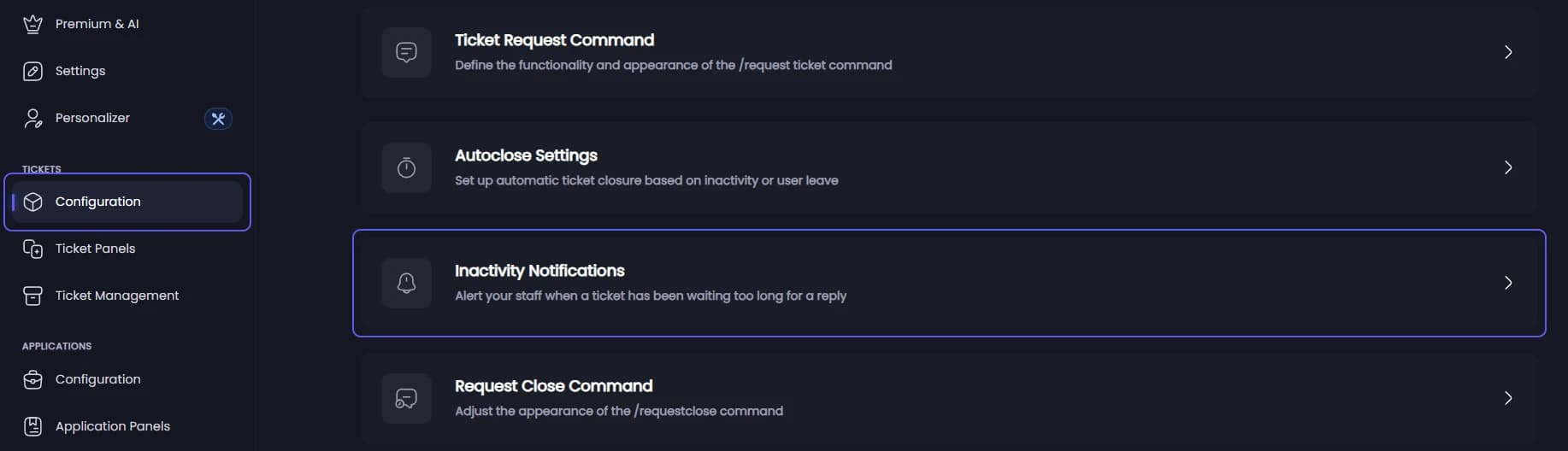
Open Inactivity Notifications
Open your dashboard and pick your server. In the sidebar, under Tickets, click Configuration, then click Inactivity Notifications.
Turn notifications on 👑
Go to Notification Behavior.
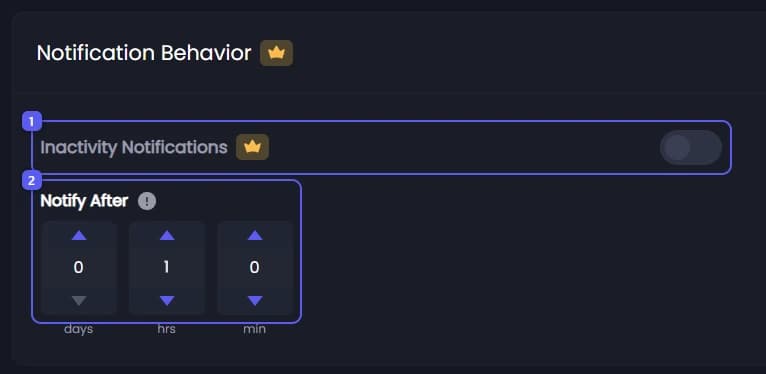
- Turn on Inactivity Notifications.
- Set Notify After in days, hours and minutes: how long a ticket may wait for a staff reply before the first notice. It starts at 1 hour.
Set the repeats 👑
Scroll to Repeats.
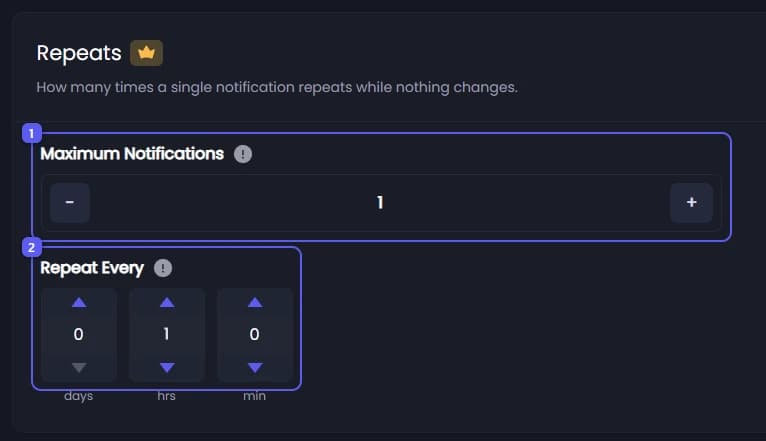
- Set Maximum Notifications: how many notices one wait can send, from 1 to 10. It starts at 1.
- Set Repeat Every: how long after one notice the next is sent. It starts at 1 hour.
Pick the channel and pings 👑
Scroll to Destination.
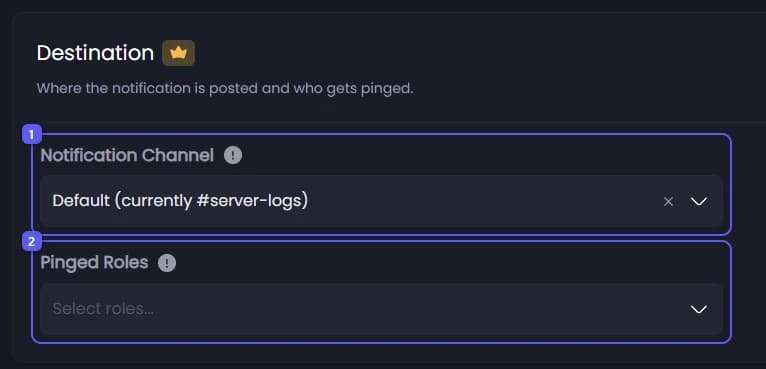
- Open Notification Channel and pick a channel your staff watch. Default uses the Logging Channel from Settings.
- Open Pinged Roles and pick up to 10 roles. Leave it empty to post the notice without a ping.
Decide about claimed tickets
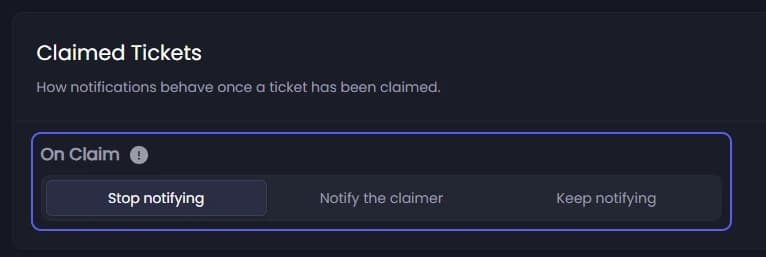
Under Claimed Tickets, pick what On Claim does once a staff member claims the ticket:
- Stop notifying: no more notices while it is claimed. This is the default.
- Notify the claimer: the notice pings the claimer instead of the roles.
- Keep notifying: nothing changes.
Save
Press Save Changes in the bar at the bottom of the page.
In the staff channel, a notice looks like this:
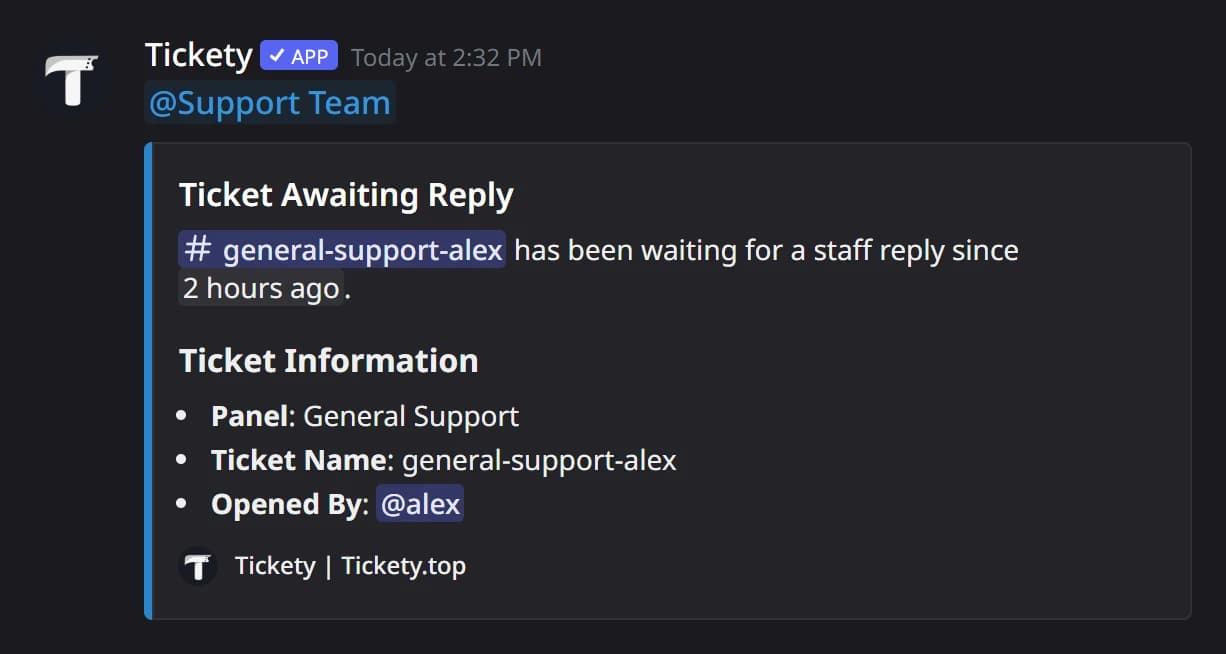
The wait starts when a ticket opens, or at the member's first message if notifications were off when it opened. Later member messages do not reset it. Tickety checks every few minutes, so a notice can come a little after the exact time.
It did not work?
Features marked with a crown (👑) need a Premium Subscription.