Change the first message inside a ticket
Edit the welcome message members see when their ticket opens, and pin it.
The welcome message is the first thing Tickety posts in a new ticket. Each panel has its own. Changes apply to tickets opened after you save, so you do not need to post the panel again.
Open the panel
Open your dashboard and pick your server. In the sidebar, under Tickets, click Ticket Panels, then click the panel.

Write the message
Click the Messages tab under the page title.
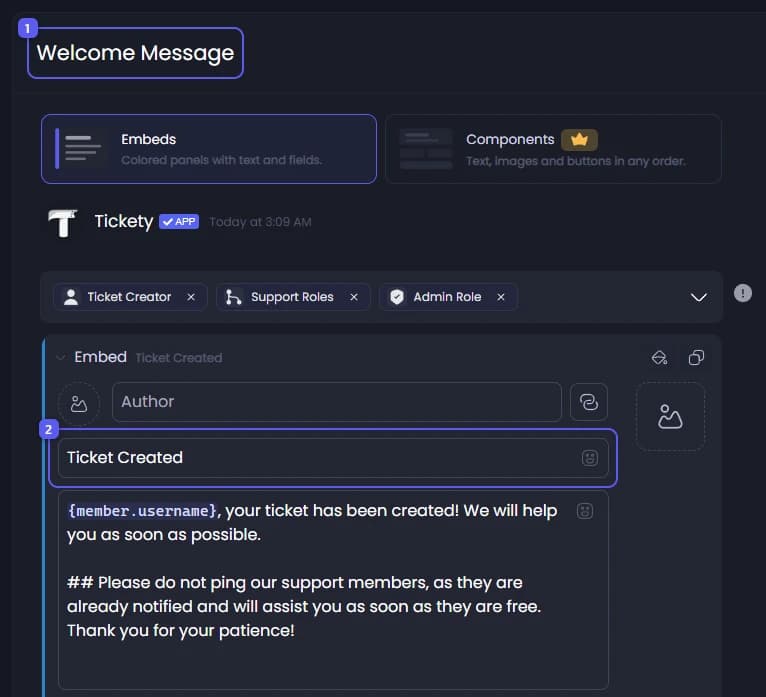
- The message is under Welcome Message, drawn the way it looks in Discord.
- Click the title and type your own. Then click the text below it and write what members should read first. It starts by welcoming the member and asking them to describe their issue.
To fill in details for each ticket, type { and pick a placeholder from the list. A placeholder is a word in curly brackets that Tickety swaps for the real value, like {ticket.creator.mention}, which pings the member who opened the ticket.
Decide whether to pin it
Below the message, Auto Pin Welcome Message is on to start with. It pins the message to the top of the ticket, so it stays easy to find in a long conversation. Turn it off if you do not want that.

Save
Press Save Changes in the bar at the bottom of the page. The next ticket opened from this panel gets the new message.
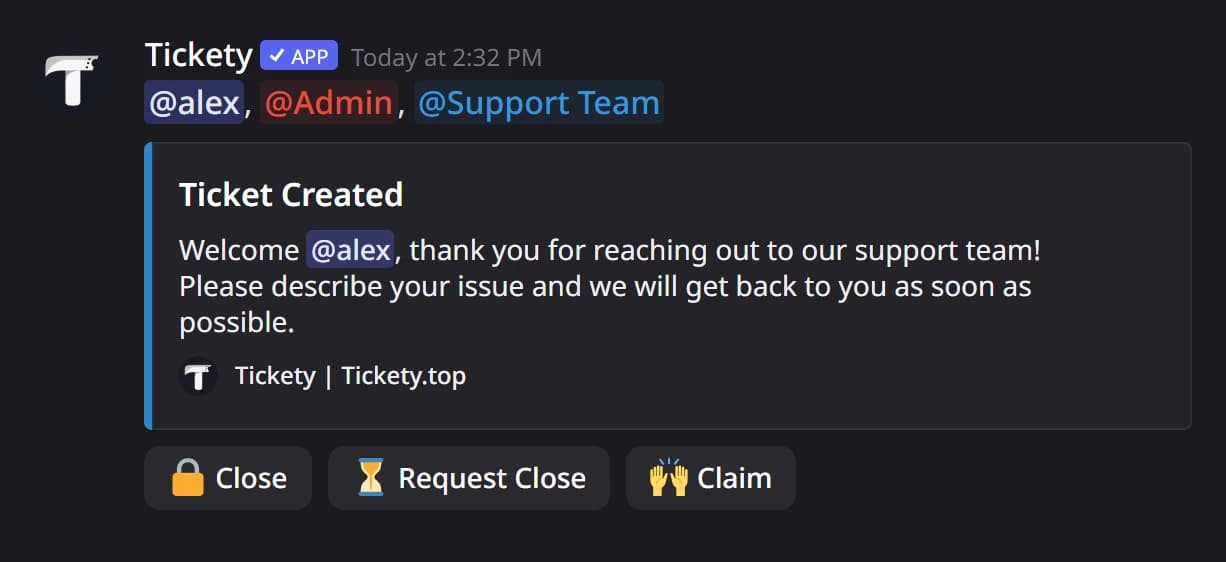
In Discord, the message is the first thing in a new ticket, with the pings above it and the ticket buttons under it.