
Collect suggestions members can vote on
Turn a channel into a suggestion board, with vote buttons under every idea.
A suggestion board lets members post ideas and vote on them with Upvote and Downvote buttons. It is made with an automation template, and it works the moment it is created: nothing needs posting.
There are two templates:
- Suggestions Channel: every message in one channel becomes a suggestion.
- Suggest Command: members type a command, like
!suggest more events, in any channel.
Suggestions Channel always keeps the member's message, because its post holds only the vote buttons. If you want Tickety to repost the idea and remove the original, use Suggest Command.
Pick a template
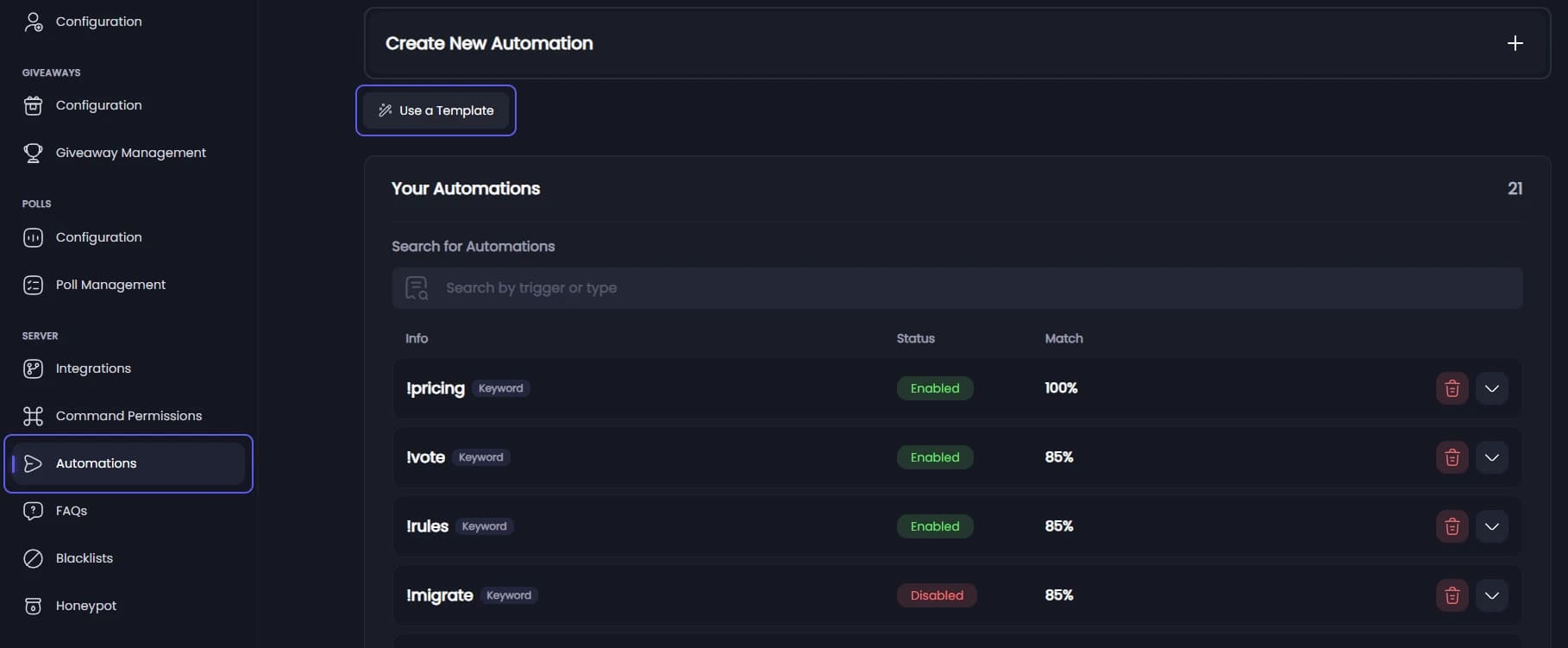
Open your dashboard and pick your server. In the sidebar, under Server, click Automations. Press Use a Template, then pick Suggestions Channel or Suggest Command.
Fill in the form
For Suggestions Channel, pick the channel members write their ideas in, under Suggestions Channel.
For Suggest Command, keep or change the Command, which starts as !suggest. Pick a channel in Post Suggestions To to collect every suggestion in one place, or leave it empty to post them where the command was typed.
Create it
Press Create Automation. The board works straight away.
Remove the member's command
This step is for Suggest Command. An automation cannot post as the member, so Tickety posts the idea under its own name. Removing the member's !suggest message leaves only the vote posts in the channel.
The automation opens after creating. Steps run from top to bottom, and the delete has to come first. Steps cannot be dragged, so:
- Press Add a step and pick Delete the message, under The message that set it off. It lands at the bottom.
- On the Send a message step, press the red bin at the right. Your message and buttons are kept.
- Press Add a step again and pick Send a message. It now sits below the delete.
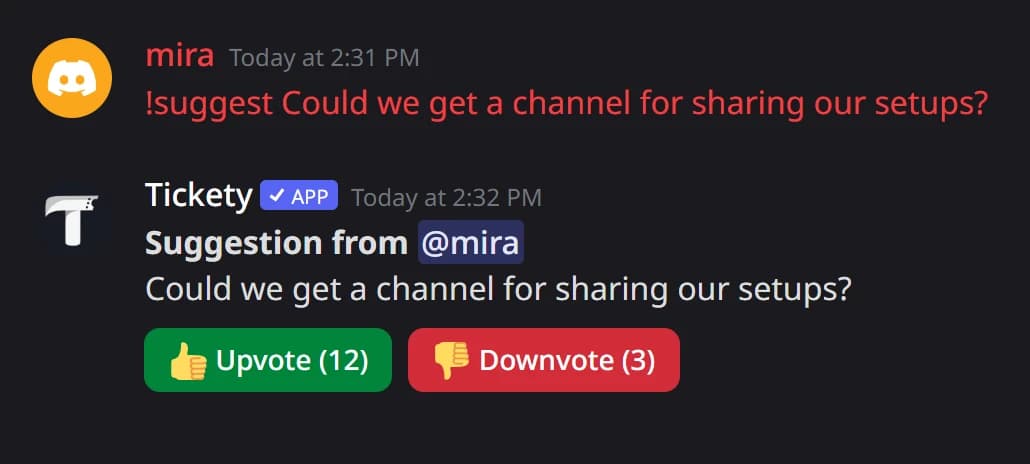
Tickety now removes the member's message and posts the suggestion on its own:
Change the look
The automation opens after creating. In the Send a message step you can change The Message and the vote buttons under Buttons and Menus. Press Save Changes in the bar at the bottom when you are done.
Members press a button to vote, and press it again to take the vote back. Pressing the other button moves their vote. Voting closes 3 months after a suggestion is posted.