
Let members pick their own roles
Post a panel of buttons that members press to give themselves a role, and take it back.
A self roles panel is a message with a button per role. A member presses a button to get that role, and presses it again to give it back. It is made with an automation template.
Only offer roles that are safe for anyone to take. Tickety hands out any role below its own, including roles with moderator permissions.
Start from the template
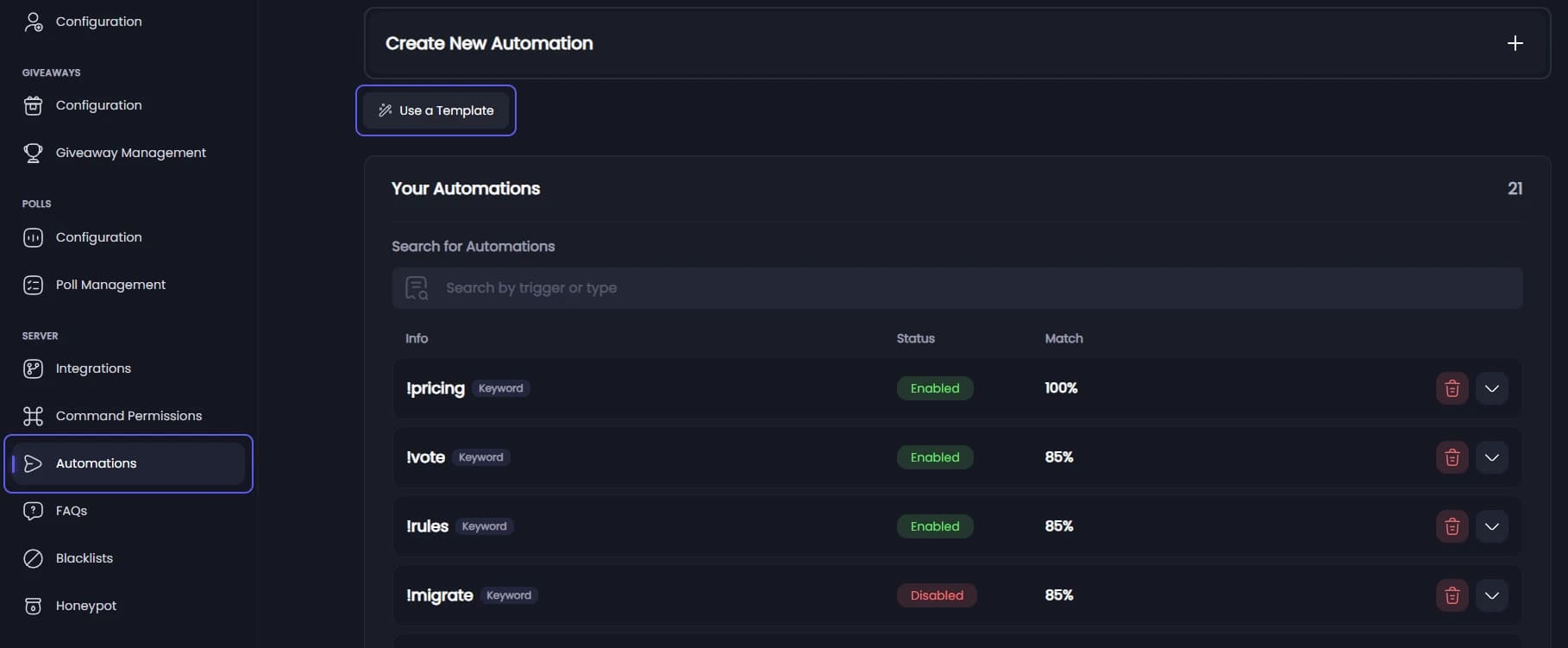
Open your dashboard and pick your server. In the sidebar, under Server, click Automations. Press Use a Template, then pick Self Roles.
Pick the roles
Under Roles, pick the roles members may give themselves. Each becomes a button, named after the role. Roles above Tickety's own role cannot be picked.
Write the message
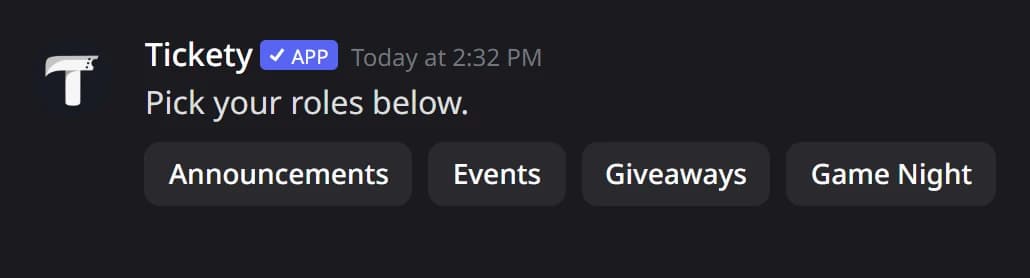
Panel Message is the text above the buttons. It starts as "Pick your roles below."
Create it
Press Create Automation. The automation opens. Nothing is posted yet.
Pick the channel
Under Automation Flow, open Send the Panel To and pick a channel everyone can see.
Post the panel
Press Send the Panel. This is the step people miss: until it is posted, the panel does nothing. If a bar is showing at the bottom, press Save Changes first.
In Discord, the posted panel looks like this:
Once posted, the button says Move the Panel. Saving later changes updates the posted message where it is. Sending again moves it to the channel you pick and deletes the old one. Deleting the automation deletes the panel too.