
Control who can use a slash command
Allow or block a Tickety slash command for chosen roles and channels.
A slash command is something members type in Discord, starting with /. An overwrite allows or blocks one command for one role or one channel.
How the rules combine:
- A role that is allowed beats a role that is blocked.
- The channel has to allow it too.
- Members with Administrator, and the server owner, are never blocked.
- An allowed role lets its members use the command even without the Discord permission the command normally needs.
Open Command Permissions
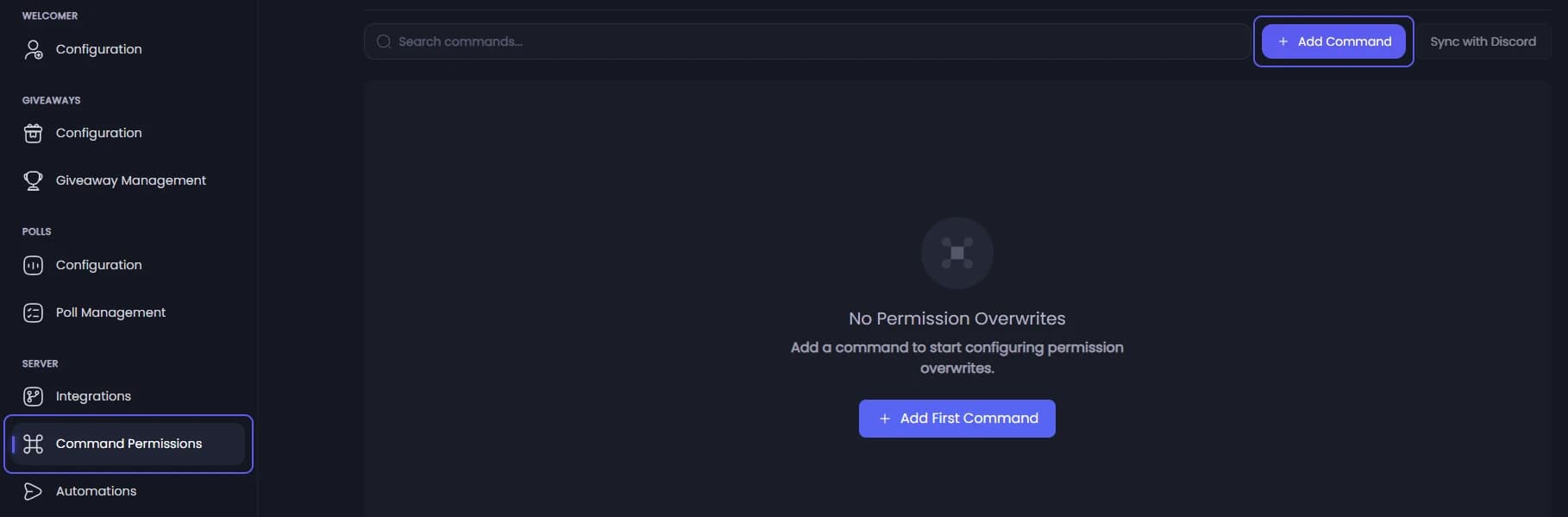
Open your dashboard and pick your server. In the sidebar, under Server, click Command Permissions.
Add the command
Press Add Command. If the list is still empty, the button says Add First Command. Search for the command and click it. A card for it appears.
Add a role rule
On the card, open Add role overwrite and pick a role. A new rule starts as allowed. Switch it off to block the command for that role.
To keep a command for staff only, add @everyone switched off, then your staff role switched on.
Add a channel rule
Open Add channel overwrite and pick a channel. Switch it off to block the command there.
Save
Press Save Changes in the bar at the bottom of the page. Tickety saves the rules and sends them to Discord, which hides a blocked command from the members it blocks.
If saving says "Saved, but Discord sync failed", press Sync with Discord at the top of the page to send the saved rules again. It does not add commands that are missing from Discord.