
Request Close Command
Ask the ticket creator to confirm a close instead of closing the ticket yourself.
/ticket requestclose asks the people in a ticket to confirm the close rather than closing it under them. Tickety posts a message in the ticket with a close button and a cancel button, and the ticket can close on its own if nobody answers. The command works on every plan.
Access the Web Dashboard
Open your Tickety Dashboard. Log in using your Discord Account.
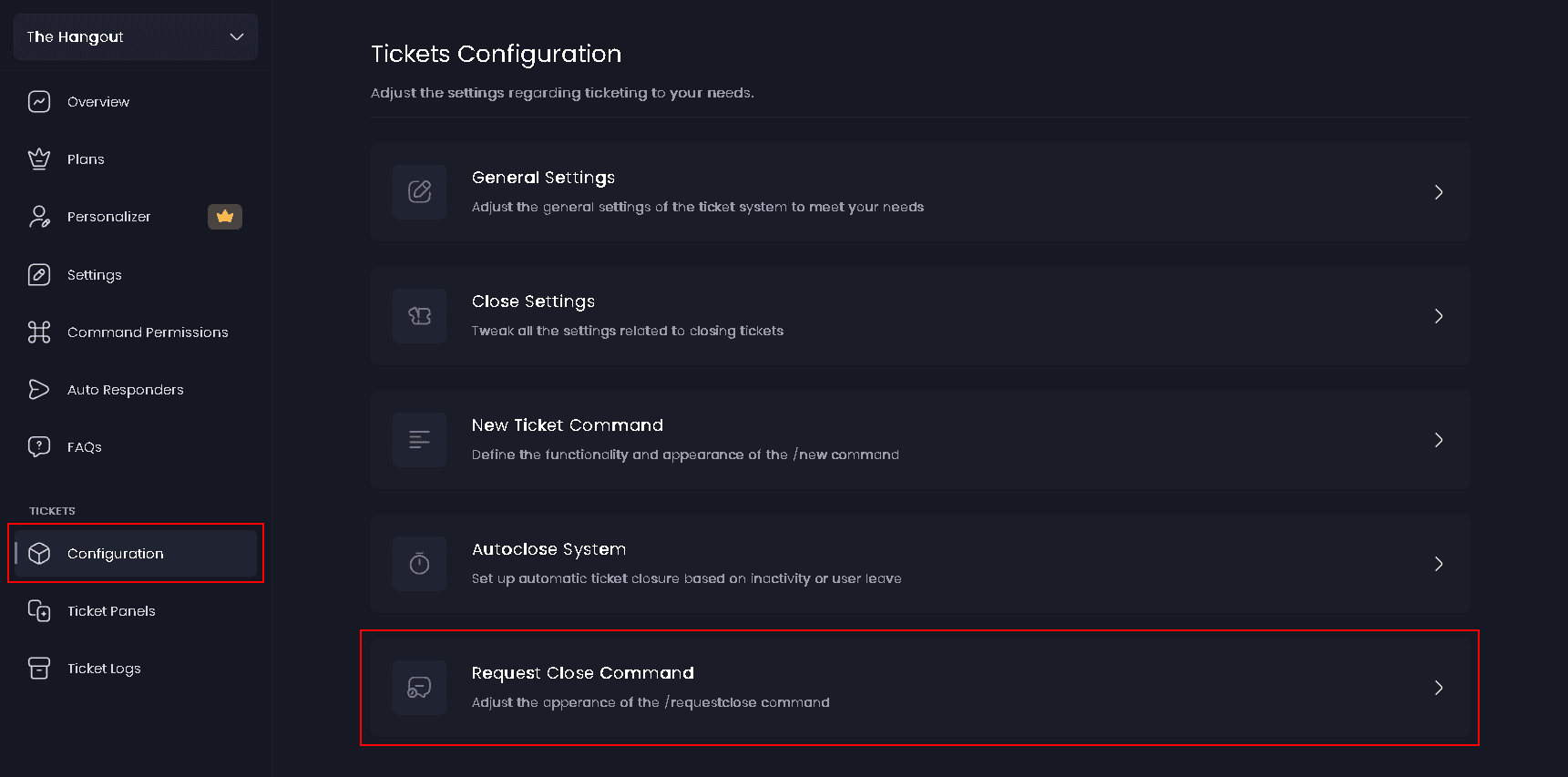
Navigate to Request Close Command Settings
-
Once logged in, locate and click on the "Configuration" section under Tickets in the sidebar.
-
Select "Request Close Command" from the configuration options.
Using the command
Run /ticket requestclose inside the ticket. Your Tickety admin role, the panel's support roles, anyone with Manage Channels and any role you allowed on the ticket command can use it.
| Option | What it does |
|---|---|
reason | Optional. Why the ticket should close, up to 200 characters. Reasons your server has used before are suggested as you type, and you can always type a new one |
timeout | Optional. Closes the ticket on its own after the time you give. Accepts values like 1h, 6h, 12h, 1d, 3d and 1w |
Leave reason empty and the Default Close Reason from Close Ticket Settings is used instead.
What everyone sees
The message goes into the ticket, everyone in the ticket is pinged with it, and two buttons are added under it:
- The close button confirms the request and closes the ticket.
- Cancel withdraws the request and leaves the ticket open.
When a timeout is in play, the ticket also shows the line This ticket will automatically close <time> unless cancelled.
On premium the close button copies your panel's own close button label, emoji and colour. Without premium it is a plain grey Close button.
What happens if nobody answers
A timeout you type on the command always wins. If you leave it empty, the panel decides. Open Ticket Panels, pick your panel, and look under Close Requests on the General tab:
| Auto-close | What it means |
|---|---|
| Staff choose | Staff pick the time with every request, and can clear it to skip auto-closing entirely |
| Fixed time | Every request auto-closes after the time set on the panel |
| Never | The ticket stays open until someone presses a button |
Whatever you set, a timeout longer than 7 days is treated as 7 days.
Cancelling a request
Anyone in the ticket can press Cancel, and so can your Tickety admin role, the panel's support roles and anyone with Manage Channels. The ticket shows Ticket Closure Cancelled naming who cancelled, and the same entry goes to your ticket log channel.
Close Request Embed
The message posted in the ticket when a close is requested. By default it is titled Ticket Close Request and asks whether to confirm or cancel the closure request. It applies to every ticket panel in your server.
The editor opens with a Message layout choice:
- Embeds - Coloured panels with text and fields. Available on every plan.
- Components 👑 - Text, images and buttons in any order.
In Components layout the close and cancel buttons share the message's room with your own blocks, so leave space for them. {ticket.creator.mention}, {ticket.closeReason}, {ticket.users}, {ticket.claimer.mention} and {panel.name} are all available here, alongside the usual member and server placeholders.
The Request Close button on a ticket's welcome message is a separate, premium feature set on the panel. The /ticket requestclose command itself is free.
This feature requires a Premium Subscription.