
Make winners claim their prize in a ticket
Point winners at a ticket panel and give them a deadline.
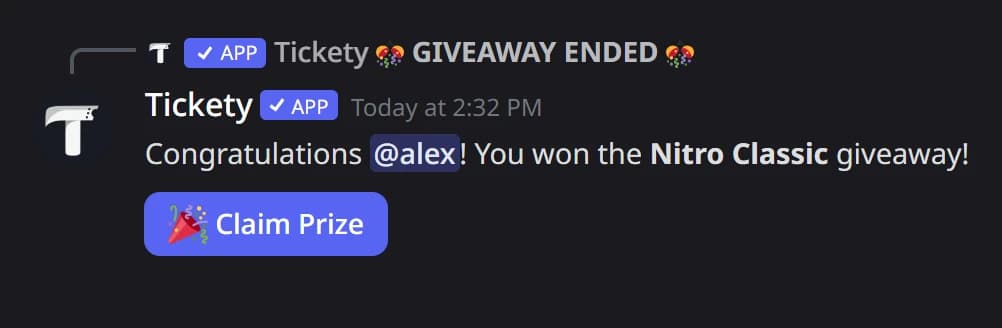
Instead of chasing winners, let them come to you: when a giveaway ends, winners get a Claim Prize button that opens a ticket. Staff hand over the prize in that ticket. You need a ticket panel for it: see Create a ticket panel and post it.
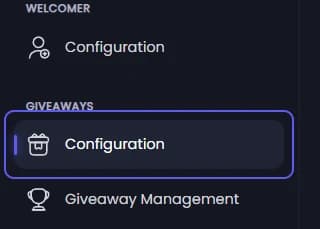
Open giveaway Configuration
Open your dashboard and pick your server. In the sidebar, under Giveaways, click Configuration.
Set up prize claiming
Under Prize Claiming:
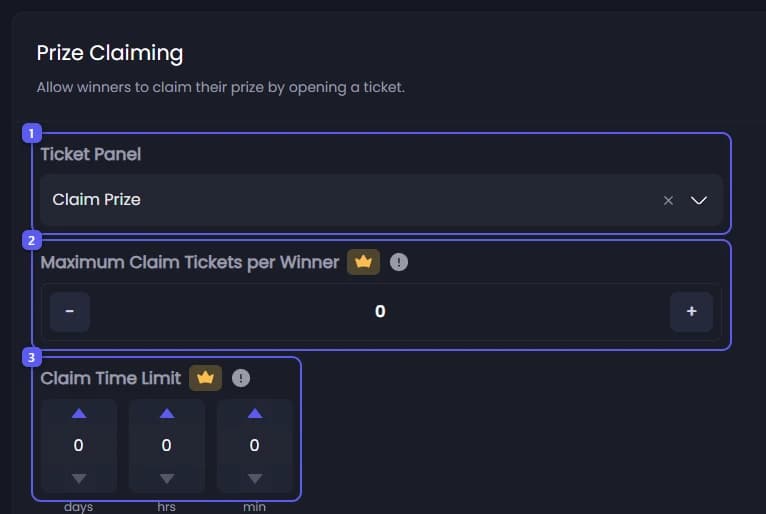
- Open Ticket Panel and pick the panel claim tickets open on.
- Set Maximum Claim Tickets per Winner 👑, so a winner cannot open many tickets for one prize. Closed tickets count too. Leave it at 0 for no limit.
- Set Claim Time Limit 👑 in days, hours and minutes: how long winners have to claim, counted from when the giveaway ends. Up to 90 days. Leave it at 0 for no limit.
Save
Press Save Changes in the bar at the bottom of the page. The setting is read when a giveaway ends, so giveaways already running use it too.
The Claim Prize button comes with the winner announcement when a giveaway ends, and when it is rerolled from Discord. Rerolling means drawing new winners. With premium and winner DMs on, winners also get it in a DM.
It did not work?
Features marked with a crown (👑) need a Premium Subscription.