
Make Tickety look like your server
Set the embed colour, the footer, and the language every response uses.
These settings change how all of Tickety's messages look and which language they are written in. A feature with its own colour, like a ticket panel, keeps that colour.
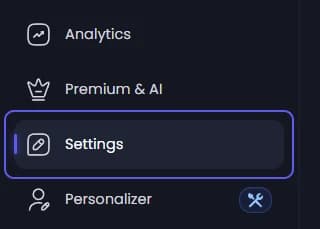
Choose the language
Under Language, open Bot Language and pick the language Tickety writes its own messages in. Text you wrote yourself stays as you wrote it.
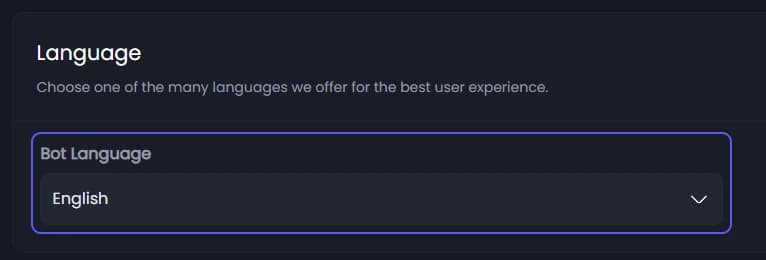
Set the footer and colour
Under Customization:
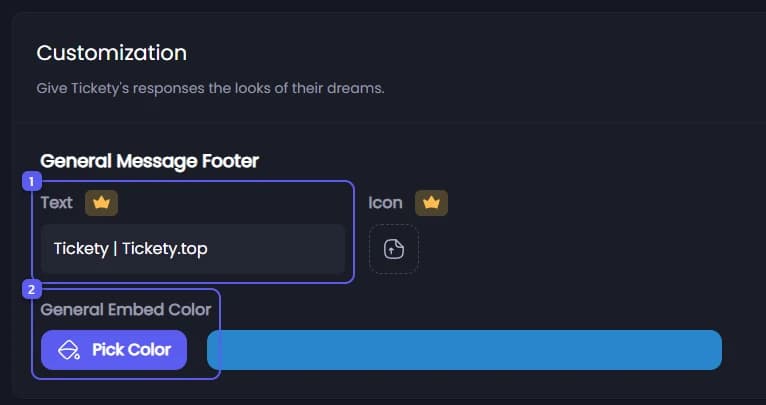
- Under General Message Footer 👑, type the small line at the bottom of Tickety's messages in Text, and add a small picture in Icon.
- Under General Embed Color, pick the colour of the stripe on Tickety's messages.
Save
Press Save Changes in the bar at the bottom of the page.
Run Tickety under your own bot 👑
The Personalizer, in the sidebar, runs Tickety with your own bot's name, avatar and status. It needs premium and the custom bot addon, and a bot you create in the Discord Developer Portal. See Custom bot for the whole setup.
More on the Settings page
The rest of Settings is covered by other guides, or is for less common needs:
- Admin Role: the role that runs every Tickety command and sees everything. See Create a ticket panel and post it.
- Logging: the channel every log follows unless a feature has its own. See Send ticket logs to the right channel.
- Access Control: dashboard access for staff without Administrator. See Give a role access to the dashboard.
- Disable Stats Fields 👑, under Advanced Settings: hides the public statistics on
/profileand/serverinfo. The View Statistics button goes grey, and pressing it on an older message answers "Statistics Disabled". - HTTP Events, under Advanced Settings: sends an event to a web address you own whenever something happens in Tickety. Paste the address, turn the switch on, and pick the Event Categories. Your server checks the HTTP Events Token to know the request came from Tickety. Regenerating it breaks anything still using the old one. See HTTP Events.
Tickety speaks 16 languages. You can also change the language from Discord with /language, which needs Manage Server or the admin role.
It did not work?
Features marked with a crown (👑) need a Premium Subscription.