
Speed up reviewing applications
Set default accept and deny reasons, hide reviewer names, write your own decision DMs, and get nudged about old submissions.
When a reviewer presses Accept or Deny, the applicant gets a DM with the decision and a reason. These settings save reviewers typing, keep their names out of those DMs, and remind staff about applications nobody has looked at.
Open General Settings
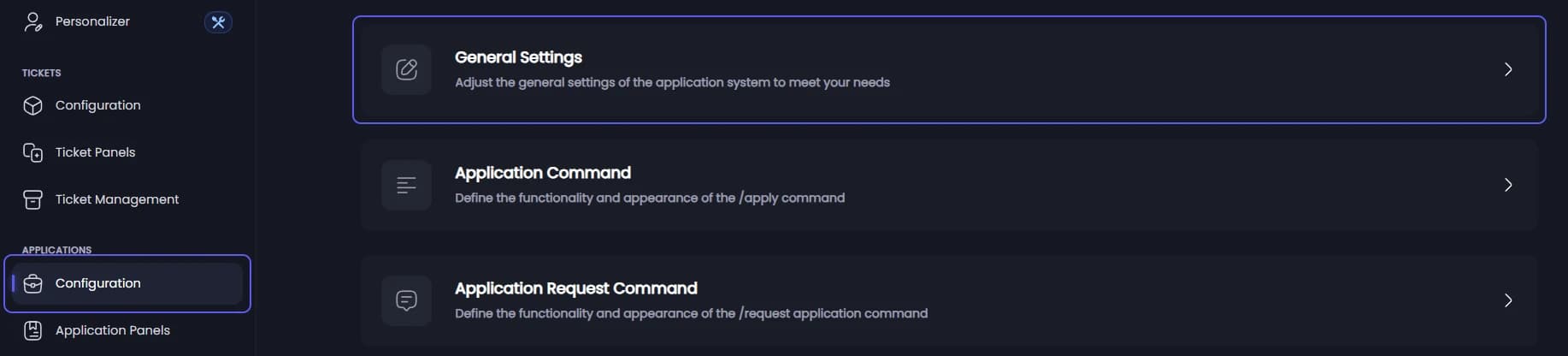
Open your dashboard and pick your server. In the sidebar, under Applications, click Configuration, then click General Settings.
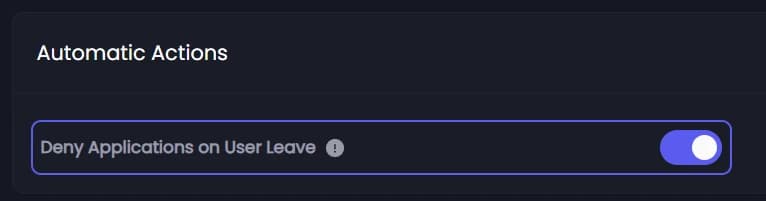
Deny applications when someone leaves
Under Automatic Actions, Deny Applications on User Leave is on to start with. When an applicant leaves your server, their waiting applications are denied for you.
Set the default reasons
Under Reason Messages:
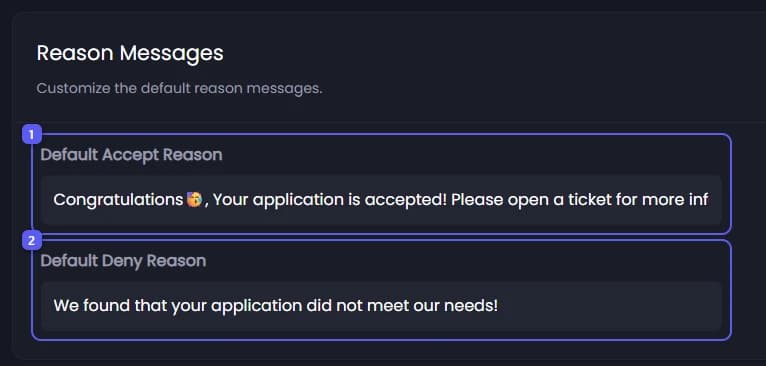
- Type the reason for accepted applications in Default Accept Reason. It is used whenever a reviewer accepts without typing a reason. It starts as "Your application meets our needs."
- Type the reason for denied applications in Default Deny Reason. It starts as "We found that your application did not meet our needs."
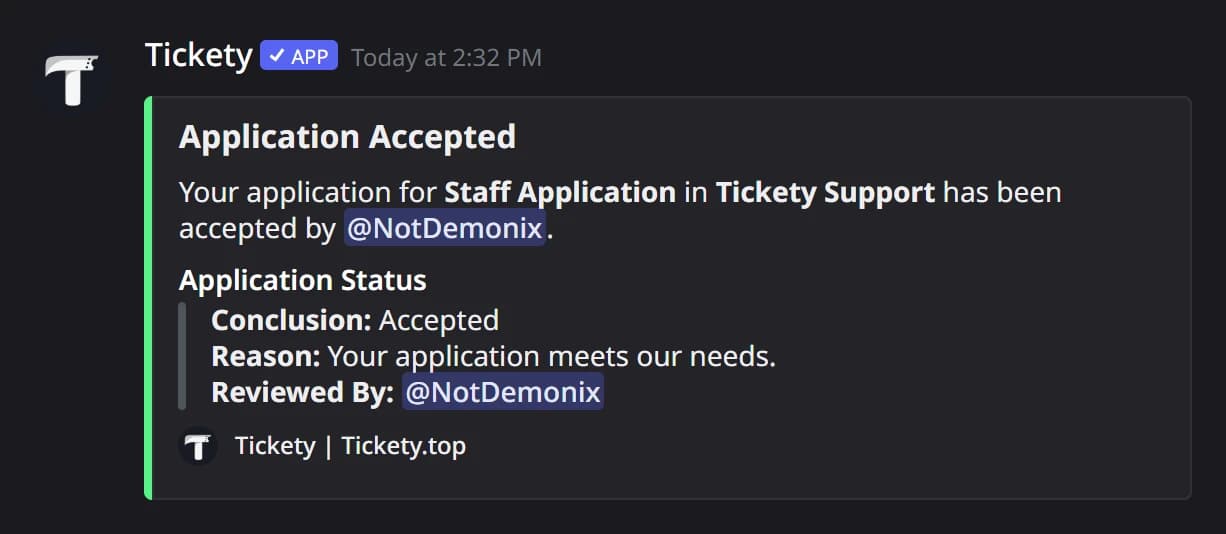
The applicant gets the decision in a DM, with the reason in it:
Save
Press Save Changes in the bar at the bottom of the page.
Hide who reviewed it
To keep reviewers' names out of the decision DM, open Application Panels, click the panel, and on the General tab under Application Settings turn on Anonymous Reviews. Press Save Changes. Staff still see who decided.

Write your own decision DMs
On the same panel, open the Messages tab. Under Review Embeds 👑, pick Accepted or Denied and edit the message the applicant gets. Press Save Changes.
Put {application.reviewReason} where the reason goes and {application.reviewer.mention} where the reviewer goes. With Anonymous Reviews on, the reviewer reads as "Anonymous".
Open Inactivity Notifications
In the sidebar, under Applications, click Configuration, then click Inactivity Notifications.
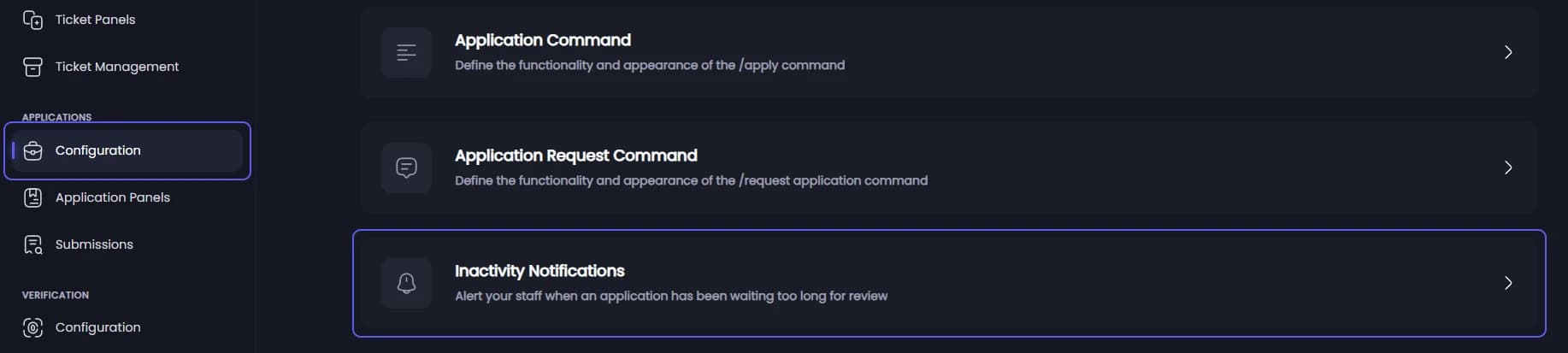
Turn reminders on
Under Notification Behavior:
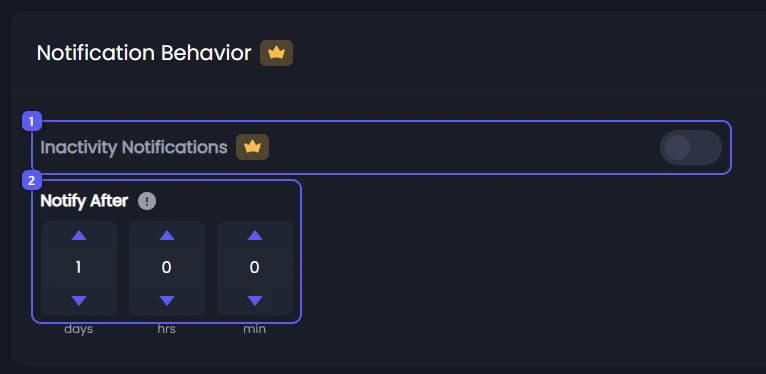
- Turn on Inactivity Notifications 👑.
- Set Notify After: how long an application may wait unreviewed before staff are reminded. It starts at 1 day.
Below it you can set how many reminders are sent, the Notification Channel they go to, and the Pinged Roles. Application Channel posts each reminder in the channel its application was sent to and pings that panel's Review Role when Tag Review Role is on, so every panel's reminders reach its own reviewers. Default uses the Logging Channel from Settings.
Save
Press Save Changes in the bar at the bottom of the page. Reminders cover applications sent in from now on.
It did not work?
Features marked with a crown (👑) need a Premium Subscription.