
Change how members fill out an application
In their DMs, on the website, or through a link anyone can open.
Members can answer an application in their Discord DMs, the private messages from Tickety, or on a page on the website. A panel can also have a link you share anywhere, even outside your server. Each panel sets this for itself, and changes work as soon as you save.
Open the panel
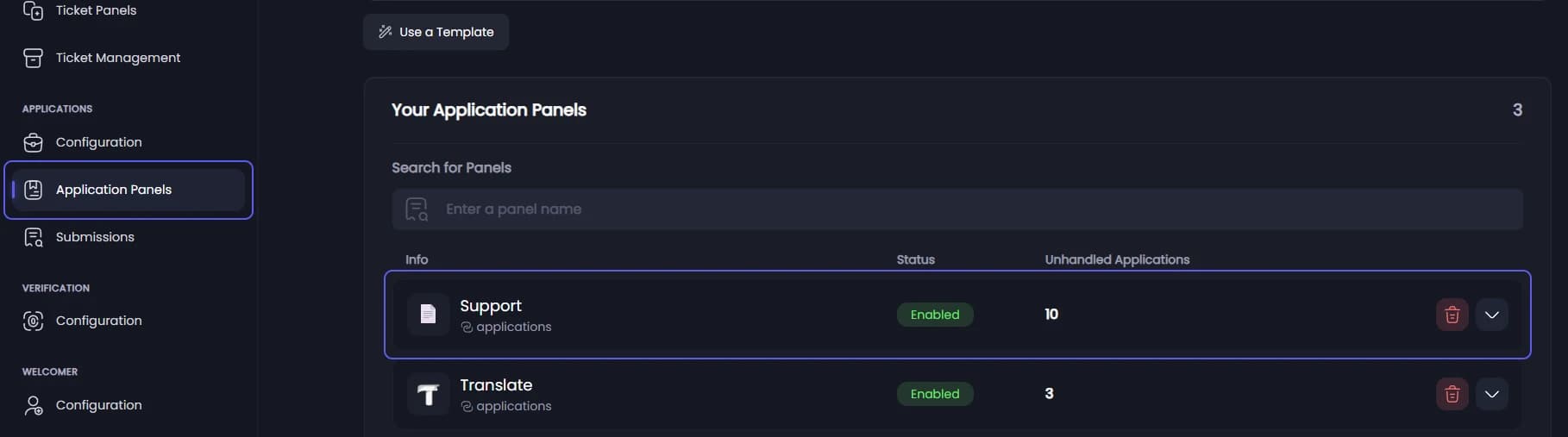
Open your dashboard and pick your server. In the sidebar, under Applications, click Application Panels, then click the panel.
Pick how members apply
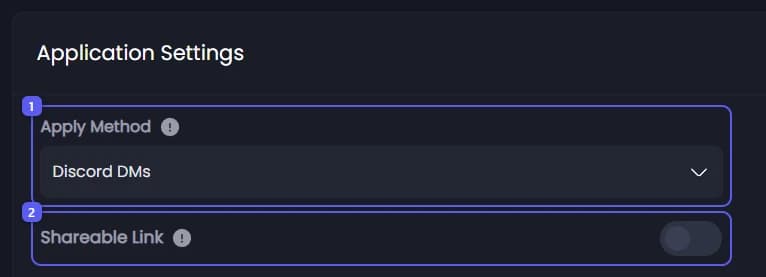
On the General tab, under Application Settings:
-
Open Apply Method and pick one:
- Discord DMs: Tickety asks the questions in their DMs. This is the default.
- Website: they get a private link and answer on a web page. Easier for long forms, and nothing depends on their DMs.
- Both: they choose each time.
With Website or Both, Require Discord Sign-In to Apply 👑 appears just below. Turn it on to make applicants sign in with Discord on the web page before they answer.
-
Turn on Shareable Link to get a link you can post anywhere, like on your website. The link is made when you save. Press the copy button next to it to copy it. People who open it still sign in with Discord before they can send the application.
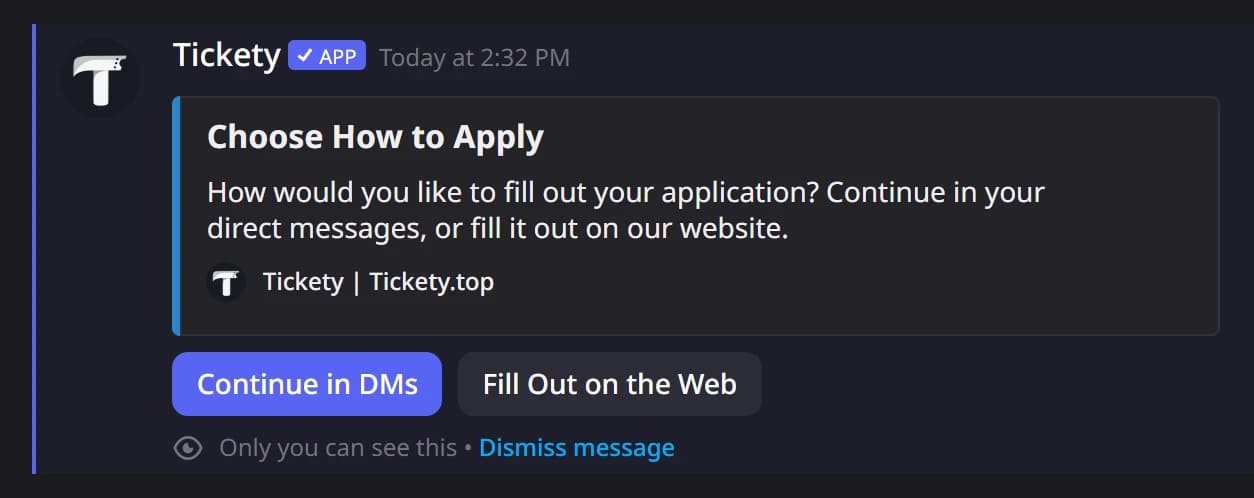
With Both, a member who presses the panel's button gets this choice as a reply only they can see:
Allow applying without an account 👑
With Shareable Link on, Allow Anonymous Submissions appears. Turn it on to let people apply without signing in. Anonymous applications cannot be accepted or denied, only read.
Save
Press Save Changes in the bar at the bottom of the page. You do not need to post the panel again.
A website application has as long as a DM one to finish: 3 hours by default. A member who loses their private link can press the panel's button again to get the same link back.
It did not work?
Features marked with a crown (👑) need a Premium Subscription.