🎉 Tickety V3 has now been released! Read more →

An Introduction to our Dashboard

Explore the Tickety dashboard and learn about its key features, sections, and how to navigate through different configuration options.

The left sidebar contains different functions organized into 5 main sections:

  • Main - Configure general settings, purchase plans, set up Personalizer, and manage automated responders.
  • Tickets - Control the ticketing system settings and configurations.
  • Applications - Manage the application system settings and panels.
  • Verification - Configure verification systems and settings.
  • Giveaways - Manage giveaway configurations and settings.

Learn more about each section's features using the tabs below.

Section Tabs

Overview

View basic information and statistics about your ticketing system, including the number of tickets created and closed, along with renamed and claimed tickets (for the last 24 hours or lifetime).

Overview Page

Plans

Purchase one of our competitive plans for 👑Premium.

If you want to customize the bot with Personalizer, make sure to select Custom Bot during checkout as it's a separate add-on.

Plans Purchasing Page

Personalizer 👑

If you've purchased the Custom Bot add-on with your premium subscription, this is where you'll configure your bot token to use your own custom bot.
We strongly recommend reading our Personalizer setup guide for detailed instructions.

Settings

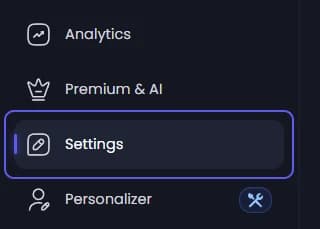
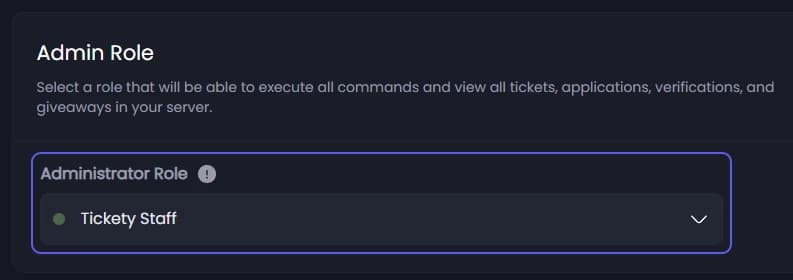
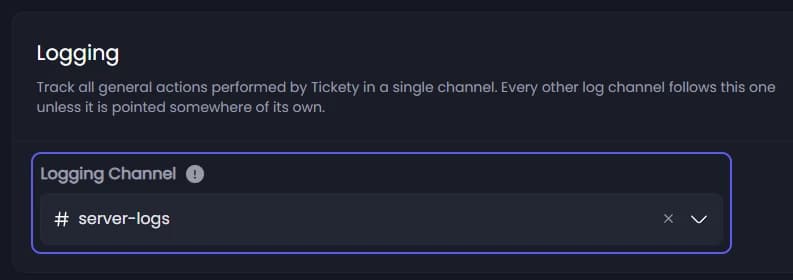
Configure general settings for the Tickety bot. These settings are covered in detail on the Getting Started page.

Configuration

Configure everything about the ticketing system, organized into the following 5 categories:

  • General Settings - Customize the default drop-down menu placeholder text and footer text.
  • Close Settings - Adjust ticket closing mechanics, such as DM notifications, transcripts, or requiring a reason to close.
  • Ticket Command - Configure the embed message and style, and select which panels can be opened with the /new command.
  • Autoclose Settings - Set up automatic closing for untouched, idle tickets after the last message or when the user leaves.
  • Request Close Command - Customize the ticket closure request embed message and styling.

Ticket Panels

Manage your created ticket panels here. Each panel can be configured and styled to your preferences.

Ticket Logs

View all ticket transcripts for each panel where logging is enabled.

Configuration

This section is split into two sub-categories:

  • General Settings - Edit your Accept and Deny application reasons.
  • Application Command - Select which application panels can be opened with the /new command, and customize the embed message.

Application Panels

Manage your created application panels here. Each panel can be configured and styled to your preferences.

Configuration

Configure the verification system to protect your server from bots and malicious users. The verification section includes:

  • General Settings - Enable the verification system, choose verification method (Web Verification, Discord Captcha 👑, or Click to Pass 👑), set minimum account age requirements, and toggle avatar requirements.
  • Punishment Settings - Configure what Tickety should do when a user fails to verify within the grace period.
  • Role Management - Assign roles for unverified and verified members to control server access.
  • Verification Message - Customize the verification panel embed message that users see when they need to verify.
  • Success Message - Customize the message shown after successful verification.
  • Commands Cooldown - Adjust the delay between executing verification commands (in seconds).
  • Logging - Set up a log channel to track verification events.

Discord Captcha and Click to Pass verification methods are Premium features.

Configuration

Configure the giveaway system to make it truly yours. The giveaway section includes:

  • General Settings - Toggle vote entries for giveaways 👑, allowing users to gain additional entries by voting.
  • Participate Button - Customize the giveaway participation button with emoji, label text, and color 👑.
  • Giveaway Embed - Personalize the giveaway embed appearance with embed color, embed image 👑, embed thumbnail 👑, and embed footer with text and icon 👑.
  • Commands Cooldown - Adjust the delay between executing giveaway commands (in seconds).
  • Logging - Configure a log channel to track giveaway events.

Vote Entries, Participate Button customization, Embed Image, Embed Thumbnail, and Embed Footer are Premium features.

Auto Responders

Configure Tickety to automatically reply based on configured trigger words.

Example trigger words: How old are you
Autoresponder reply: Please avoid asking for personal information.

By default, the bot uses an 85% match rating based on the trigger words.

Auto Responder Demo

Example of Autoresponder

On this page