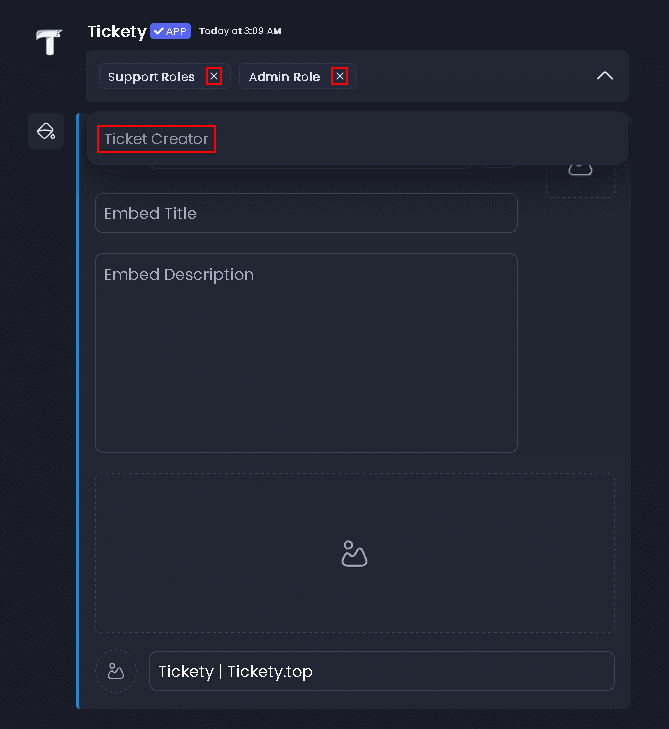
How do I customize pings in the Welcome Message?
To disable pings in the welcome message for Tickety, follow these steps
By default, Tickety automatically pings the Support Role and Admin Role when a ticket is created. This guide shows you how to customize which roles or users get pinged in the welcome message, including how to remove default pings and add optional extra mentions.
Access the Web Dashboard
Open your Tickety Dashboard. Log in using your Discord Account.
Navigate to the Ticket Panels
-
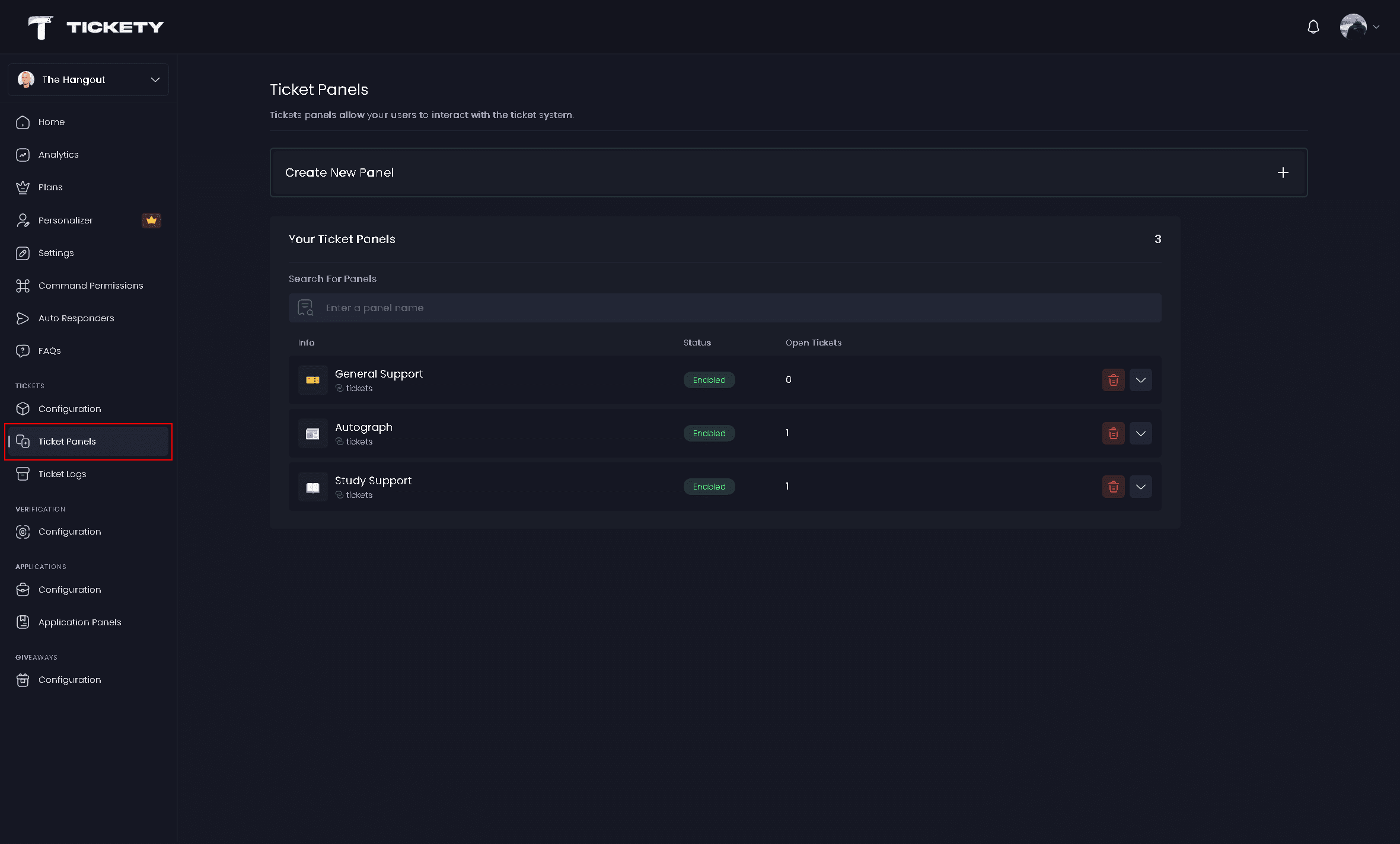
Once logged in, locate and click on the "Ticket Panels" section in the sidebar.
-
You'll see a list of existing ticket panels. Select the panel you want to edit.
Navigate to the Messages Tab
-
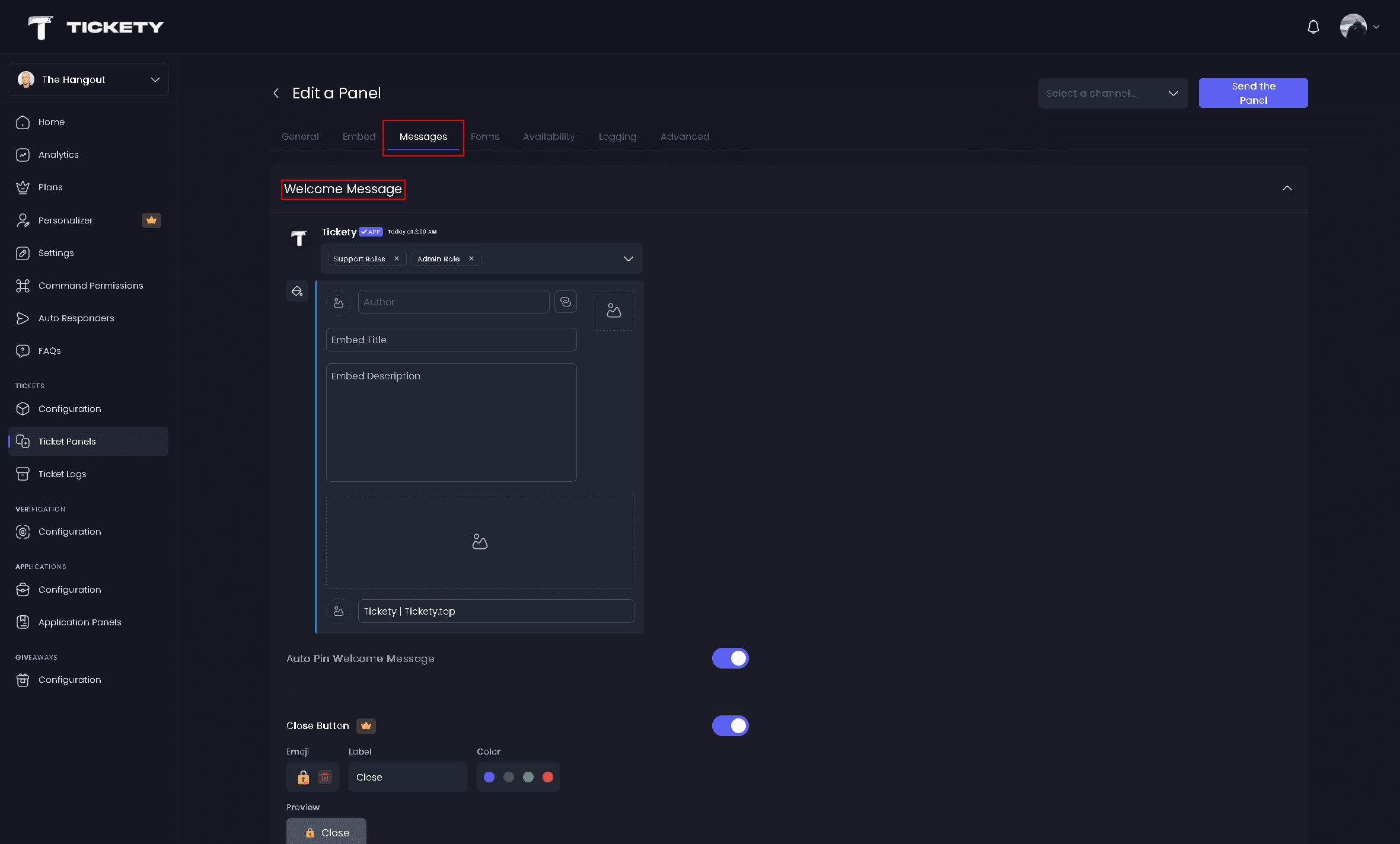
Inside the selected panel, click on the "Messages" tab at the top of the page.
-
Scroll down to the "Welcome Message" section.
Customize Pings in the Welcome Message
In the Welcome Message section, you'll see tags for the roles that are currently being pinged.
By default, the main welcome-message options are:
- Support Roles
- Admin Role
- Ticket Creator (optional)
You can also add extra pings below the default options, including:
- @everyone
- @here
- Specific server roles
To remove a ping:
- Click the X button next to any role you want to remove
To add pings:
- Click anywhere on the dropdown menu
- Select the options you want to add
Thread mode note:
- Extra role and broadcast pings are only available in normal channel mode
- If the panel uses thread mode, only the default welcome-message options are available